Helix
Helix creates a helical wire — the curve that springs, threads and coils are built from. On its own it renders as a wire; sweep a profile along it to make material.
In the viewport
- Click Helix on the toolbar.
- Fill in the dialog. The wire previews as you type.
- Click Apply. The wire appears in the viewport and the timeline; a sweep can then pick it as its path.
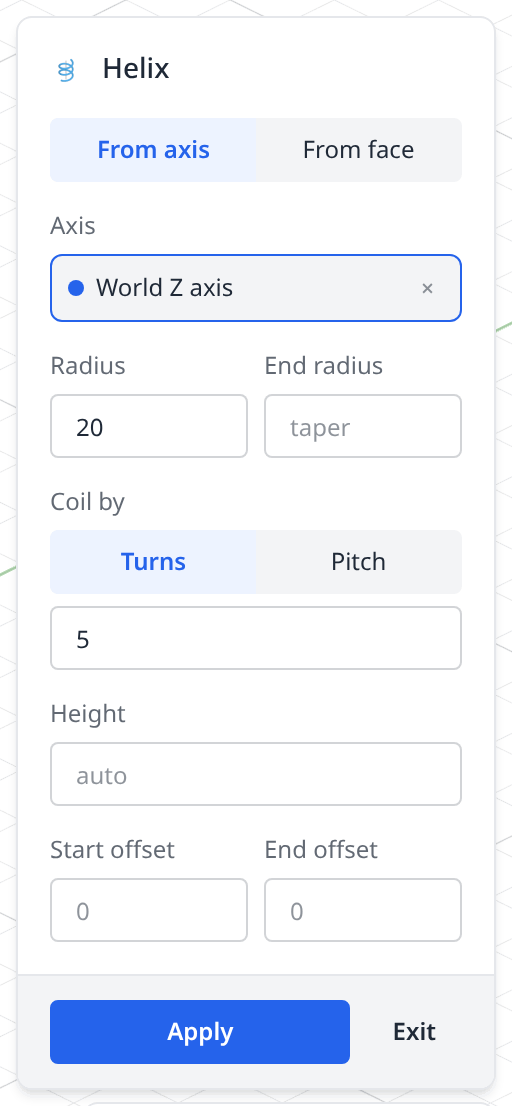
- 1From axis / From faceWhere the coil gets its frame. From axis takes an axis you click — a world axis in the viewport, an axis() feature, or a straight edge. From face reads the axis, radius and height off a cylindrical or conical face instead.
- 2AxisThe line the helix winds around. It opens on world Z; click another axis or a straight edge to change it.
- 3Radius / End radiusThe radius of the coil, and — if you fill in End radius — the radius it tapers to, which makes a conical helix. Both are ignored when the source is a face or a circular edge, where the geometry sets them.
- 4Coil byTurns or Pitch: which of the two you type. Turns is the number of revolutions, Pitch the axial rise per revolution.
- 5HeightTotal axial extent. Any two of pitch, turns and height determine the third, so leaving this on auto lets the other two set it.
- 6Start / end offsetRun the ends past the source along the axis, in axial units — how a real thread runs off the end of its stock instead of stopping flush.
- 7ApplyWrites the statement and adds the timeline row; Exit writes nothing.
The wire, and what it is for
On its own a helix is just a curve. It becomes material when a sweep carries a profile along it:
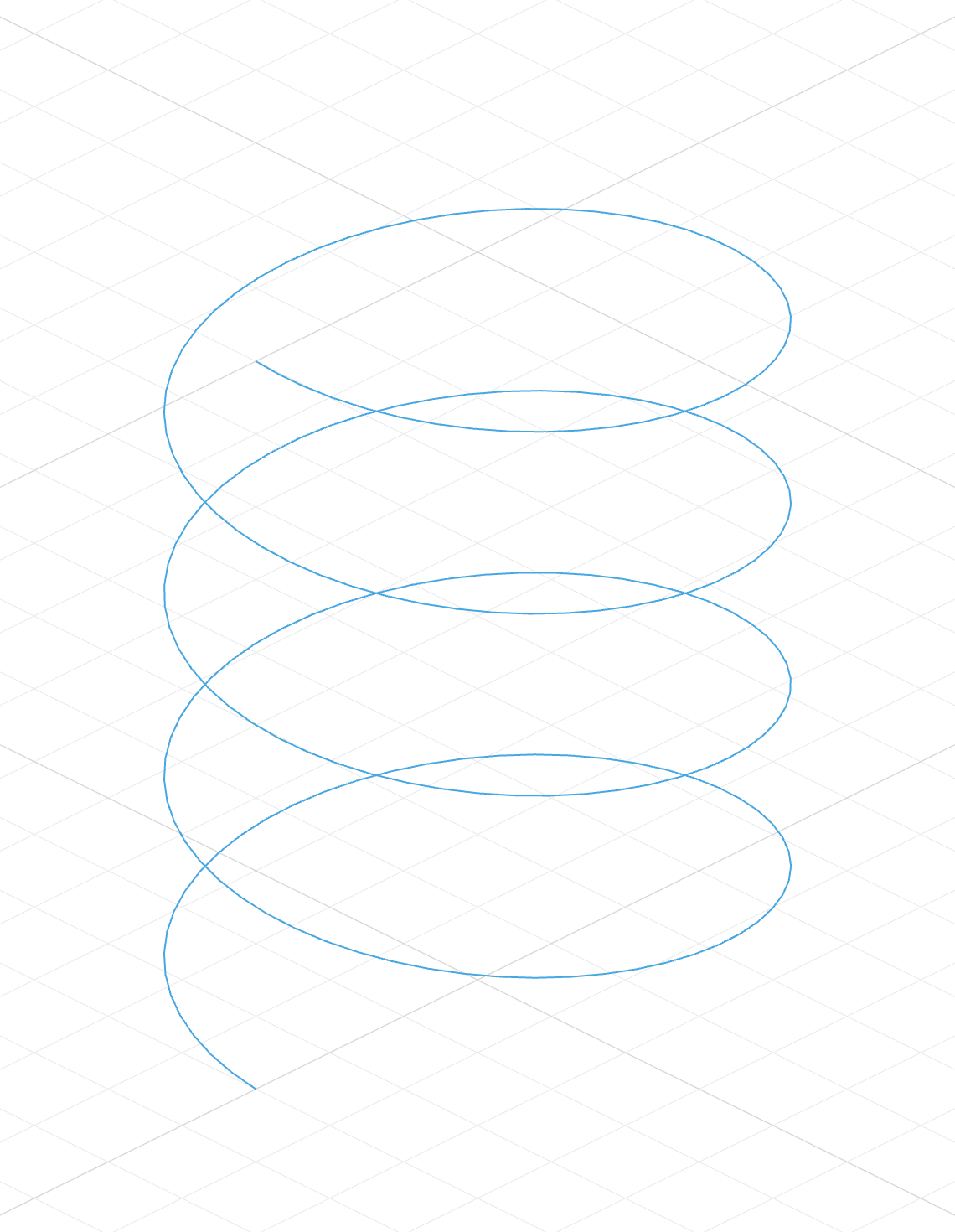
helix("z")A wire coiling around the Z axis. Nothing solid — no faces, no volume.
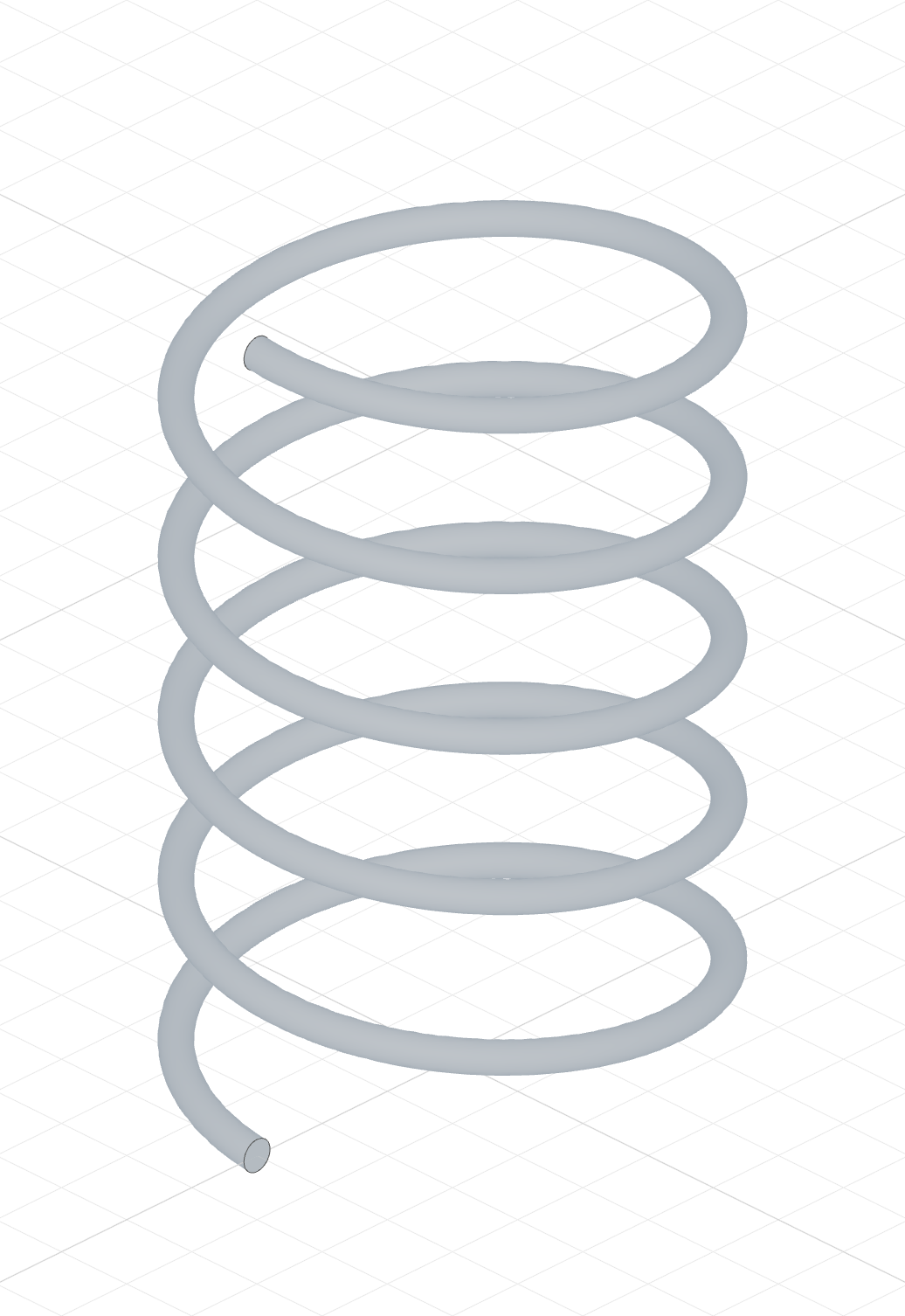
sweep(h, profile)A small circle swept along that wire: a spring. The profile is placed at the path start automatically.
The helix
import { helix } from 'fluidcad/core';

// A helical wire around the Z axis: radius 15, rising 10 per turn, 4 turns
// (so 40 tall). On its own it is a curve; sweep a profile along it for material.
helix("z").radius(15).pitch(10).turns(4);
The argument is the axis to coil around — a named axis like "z", anything axis-like, or an existing scene object (see deriving from geometry).
Sizing
Three chained methods control the proportions, and any two determine the third:
helix("z").pitch(10).turns(4)       // height = 40
helix("z").pitch(10).height(40)     // turns = 4
helix("z").turns(4).height(40)      // pitch = 10
| Method | Meaning | Default |
|---|---|---|
.pitch(p) | Axial rise per full revolution | height / turns |
.turns(n) | Number of revolutions; fractions are fine | 1 |
.height(h) | Total axial extent | 50, or pitch × turns |
.radius(r) | Radius of the coil | 20 |
Winding is clockwise (left-handed) by default; .ccw() gives a right-handed helix.
Springs
The spring above is the whole recipe: a helix for the path, a small circle for the wire section, and a sweep to join them.
The code behind it
import { sketch, circle, helix, sweep } from 'fluidcad/core';

const path = helix("z").radius(15).pitch(10).turns(5);

const profile = sketch("left", () => {
    circle([15, 0], 2);
  });

sweep(path, profile);
Deriving from geometry
With From face in the dialog — or a scene object as the argument in code — the helix takes its frame from the geometry:
- Cylindrical face — axis, radius and height come from the face.
- Conical face — the helix follows the cone's taper; radii are derived from the face (
.radius()/.endRadius()are ignored). - Line edge — the line becomes the axis, its length the height.
- Circular edge — the circle's normal becomes the axis, its radius the helix radius.
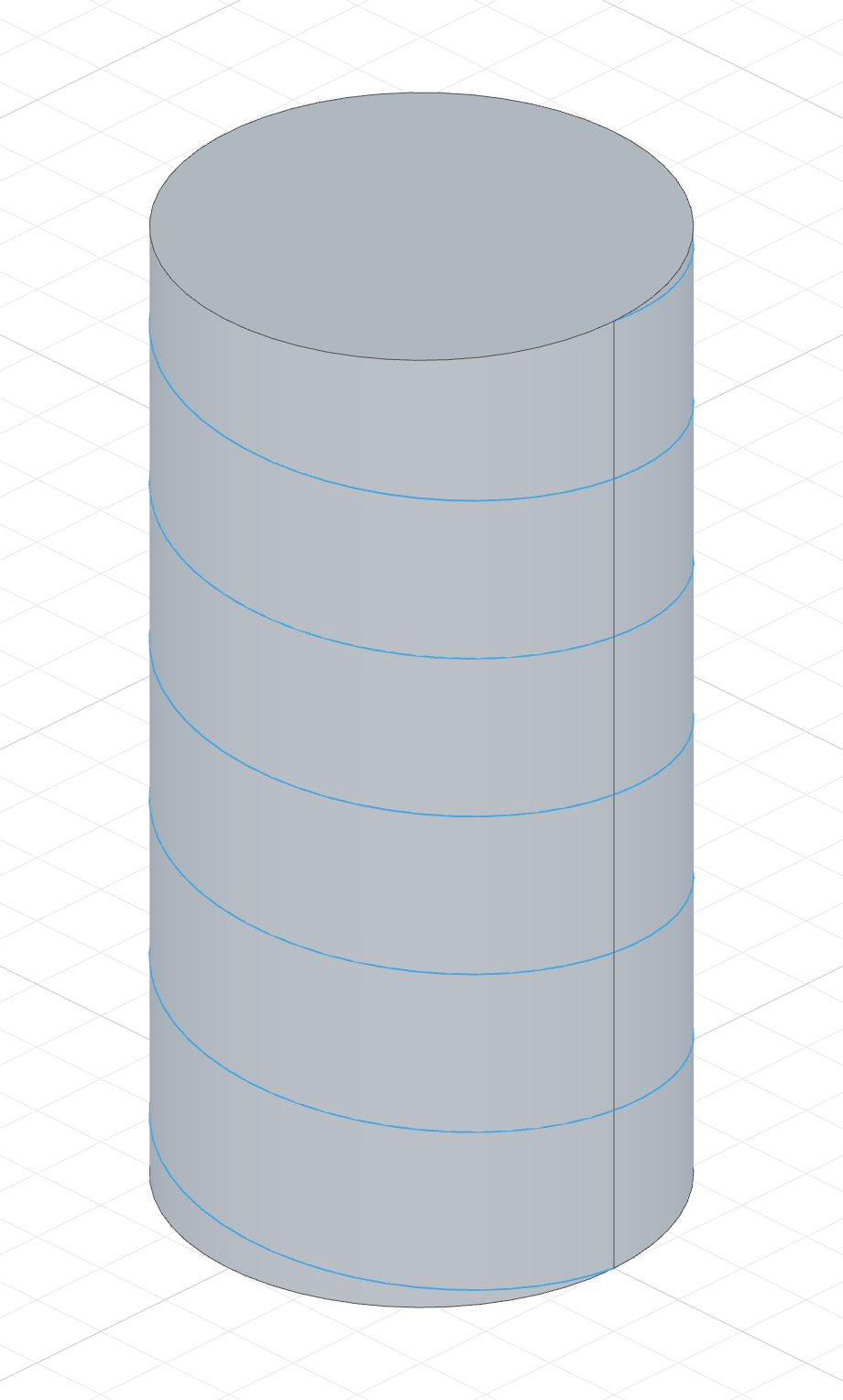
The code behind it
import { cylinder, select, helix } from 'fluidcad/core';
import { face } from 'fluidcad/filters';

cylinder(15, 60);

helix(select(face().cylinder())).turns(6);
Use select(...) to narrow a body down to the single face or edge the helix should read from.
Threads and grooves
A helix at the surface of a cylinder is the spine of a thread. Sweep a profile along it and the result fuses with the cylinder (the Add tab):
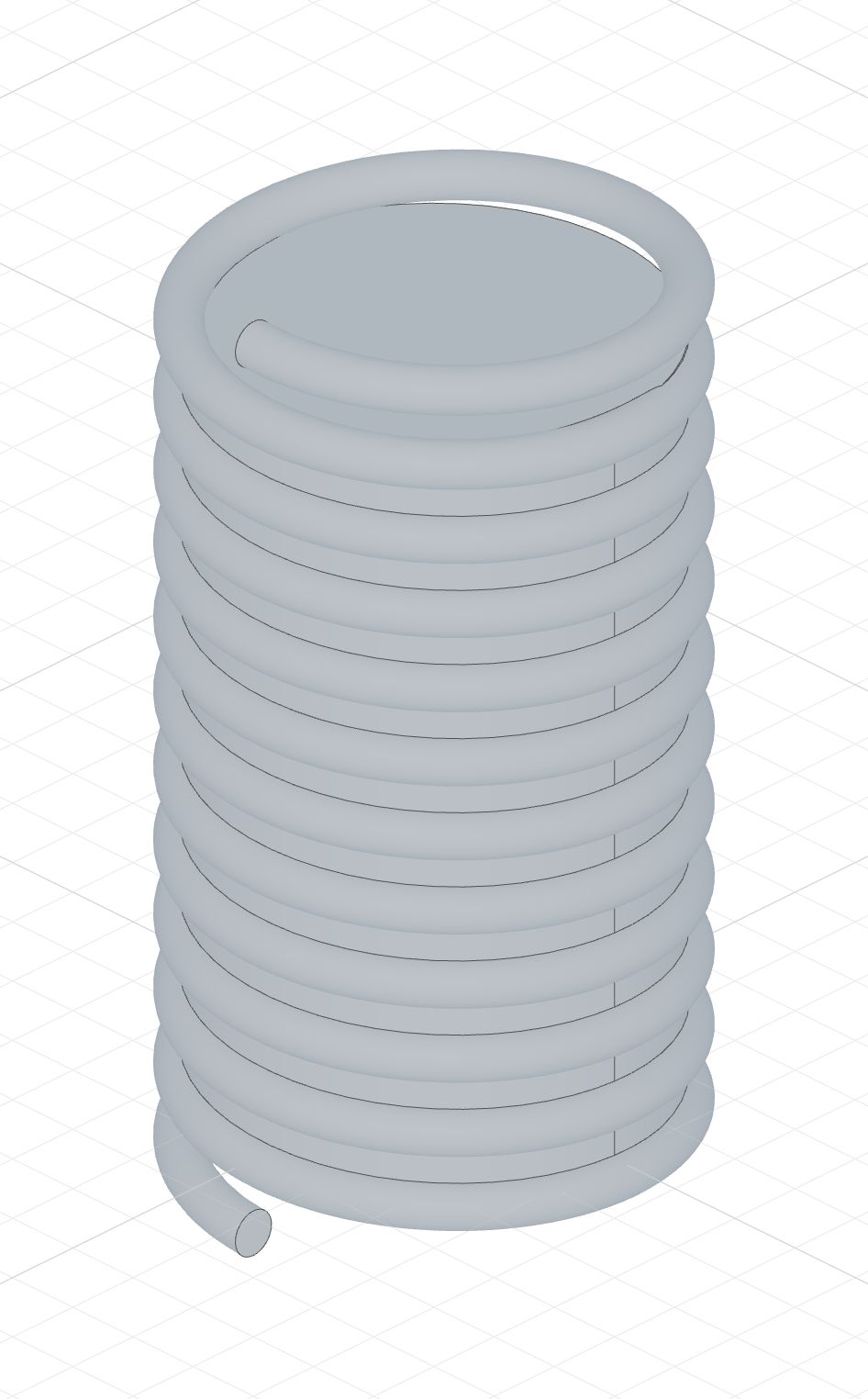
The code behind it
import { cylinder, sketch, circle, helix, sweep } from 'fluidcad/core';

cylinder(15, 50);

const path = helix("z").height(50).radius(15).pitch(5)
    .startOffset(-5).endOffset(5);

const profile = sketch("left", () => {
    circle([15, 0], 3);
  });

sweep(path, profile);
The sweep's Remove tab carves a groove instead:
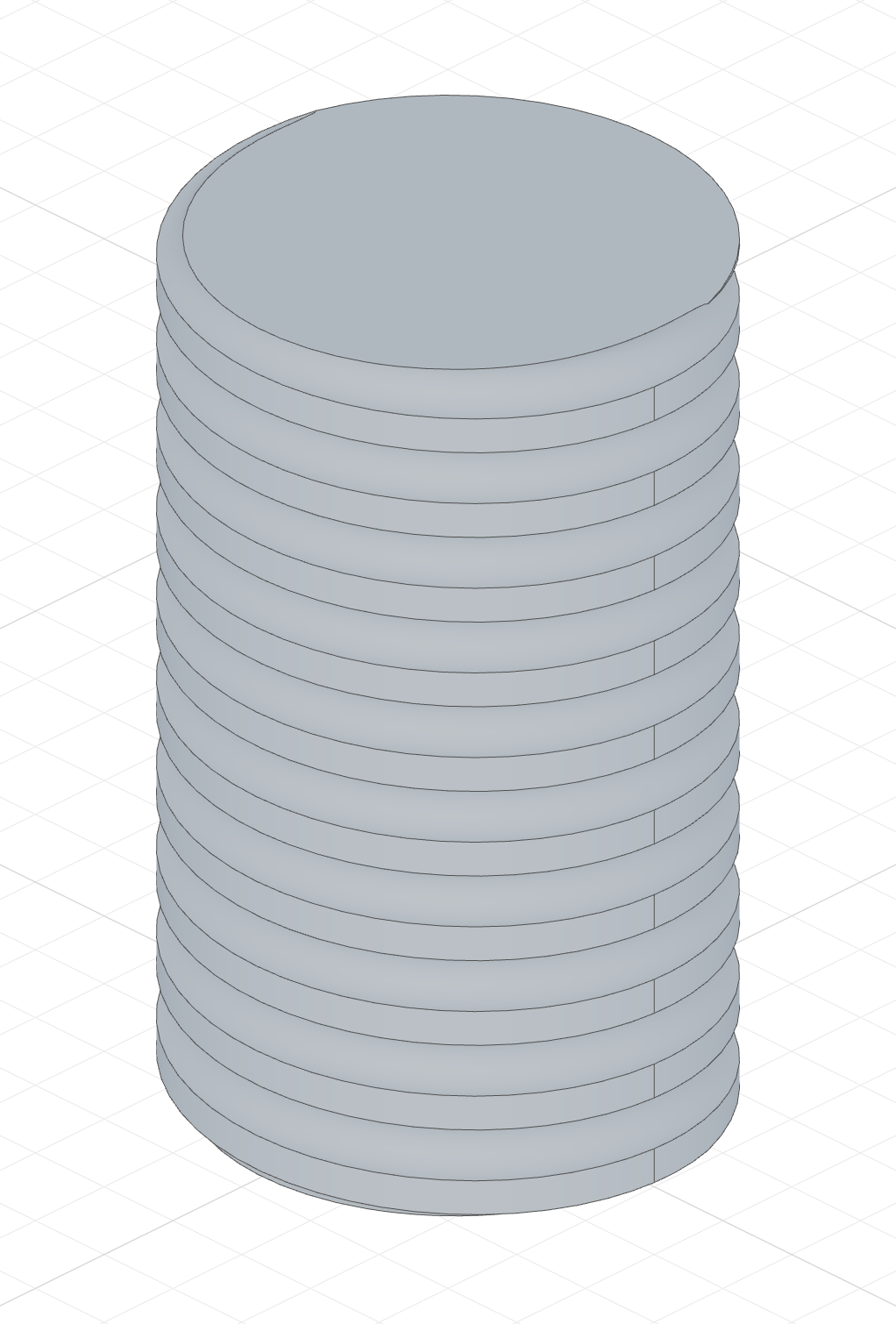
The code behind it
import { cylinder, sketch, circle, helix, sweep } from 'fluidcad/core';

cylinder(15, 50);

const path = helix("z").height(50).radius(15).pitch(5)
    .startOffset(-5).endOffset(5);

const profile = sketch("left", () => {
    circle([15, 0], 3);
  });

sweep(path, profile).remove();
Running past the ends
Real threads run off the ends of the stock rather than stopping flush. start offset and end offset shift the helix ends along the axis, in axial units:
helix("z").height(50).startOffset(-5).endOffset(5) // 5 units overshoot each side
A negative start offset extends the start; a positive end offset extends the end (and vice versa to trim). On a conical face the extension follows the cone's natural taper.
Tapered helixes
When end radius differs from Radius, the radius blends linearly along the height — a conical helix:
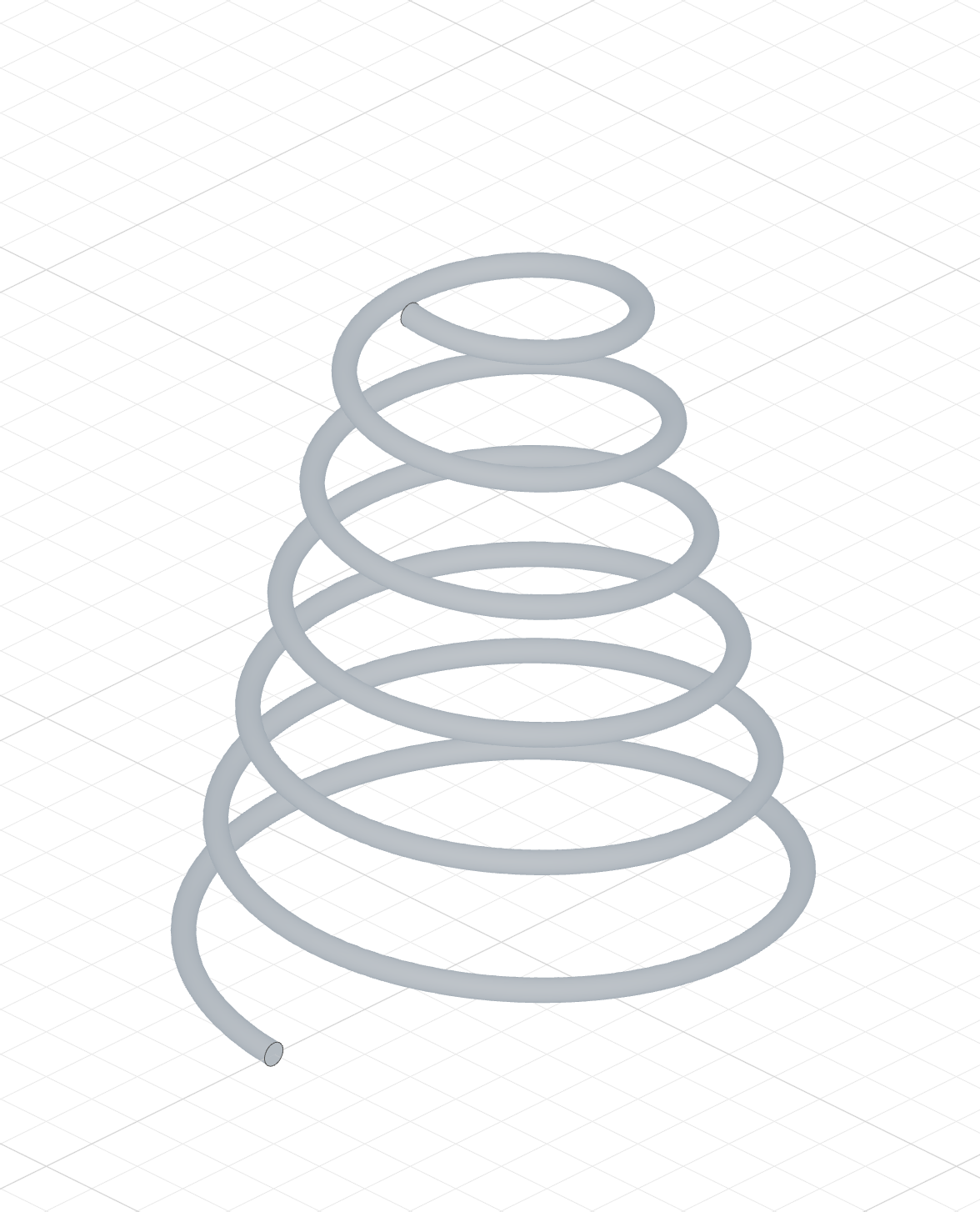
The code behind it
import { sketch, circle, helix, sweep } from 'fluidcad/core';

const path = helix("z").height(60).pitch(10).radius(25).endRadius(10);

const profile = sketch("left", () => {
    circle([25, 0], 2);
  });

sweep(path, profile);
The same shape falls out automatically when the source is a conical face. .endRadius() is ignored for face and circular-edge sources, where the radii come from the geometry.
Limitations
- Turns must be positive and the pitch non-zero; a tapered helix must keep its end radius above zero.
- A face source must be cylindrical or conical; an edge source must be a line or a circle. Multi-shape sources need a
select(...)to single out one face or edge.