Revolve
Revolve turns a sketch profile around an axis into a solid of revolution — a shaft, a knob, a rim, anything you would make on a lathe. The profile must lie in a plane that contains the axis, and it should not cross it.
In the viewport
- Finish a sketch on a plane that contains the axis you want to turn around (the front or right plane for a vertical axis) and click Revolve on the toolbar.
- Fill in the dialog. A ghost previews the turned solid as you type.
- Click Apply.
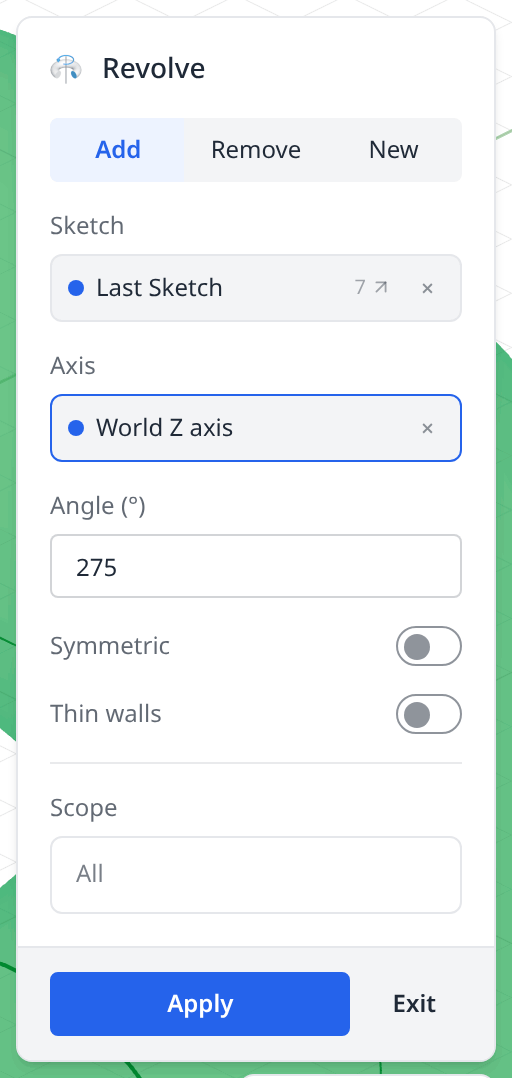
- 1Add / Remove / NewHow the turned solid meets the model — fuse with it, cut it away, or stay a separate body. See Add, New and Remove below.
- 2SketchThe profile to revolve, filled with the last sketch. It has to lie in a plane that contains the axis, and it must not cross it.
- 3AxisWhat the profile turns around. The slot opens on world Z; click one of the world axes shown in the viewport (X red, Y green, Z blue), an axis() feature, or a straight edge to change it.
- 4AngleDegrees of turn. 360 — the default — is a full revolution; anything less leaves the two flat end faces the picture below shows.
- 5SymmetricSplits the angle either side of the sketch plane instead of running it all one way.
- 6Thin wallsRevolves a wall of the thickness you then type rather than the filled profile — a hollow body from a closed profile, a shell from an open one.
- 7ScopeWhich solids the Add or Remove applies to. All means every solid the revolve meets.
- 8ApplyWrites the statement and adds the timeline row; Exit writes nothing.
From profile to solid of revolution
A circle 80 mm off the Z axis, turned 275°:
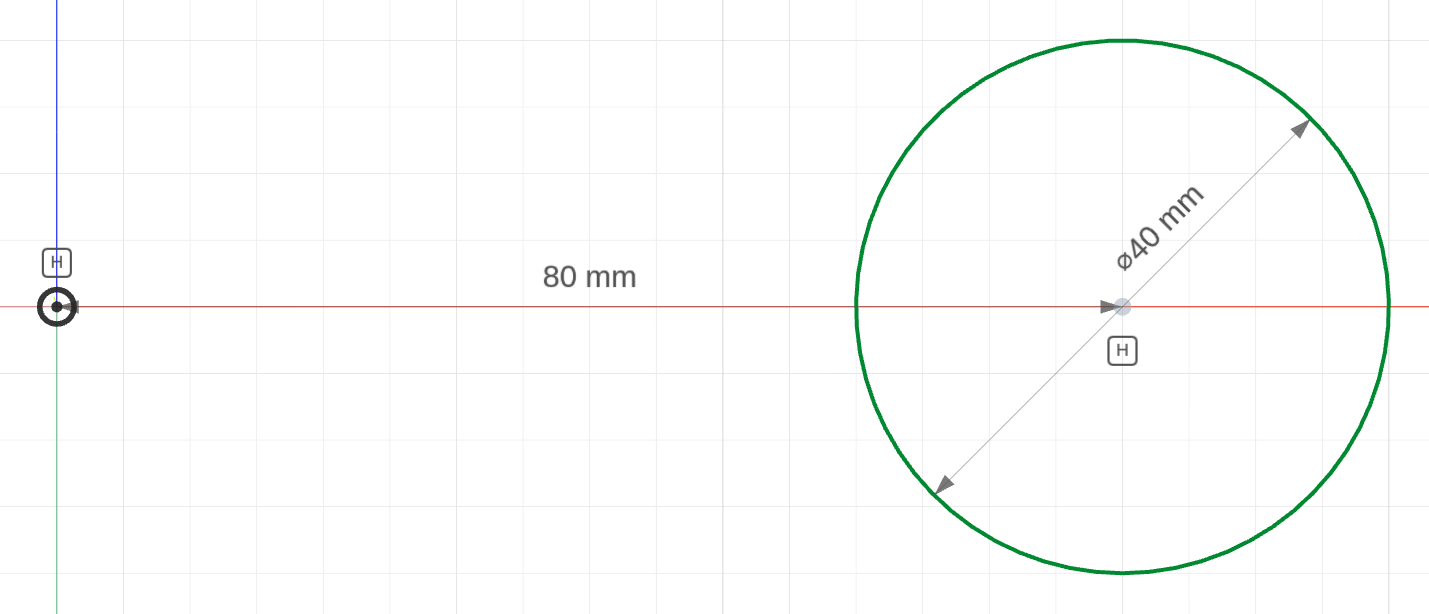
the profileA Ø40 circle on the front plane, its centre 80 from the axis. The plane contains the Z axis, which is what makes it revolvable.
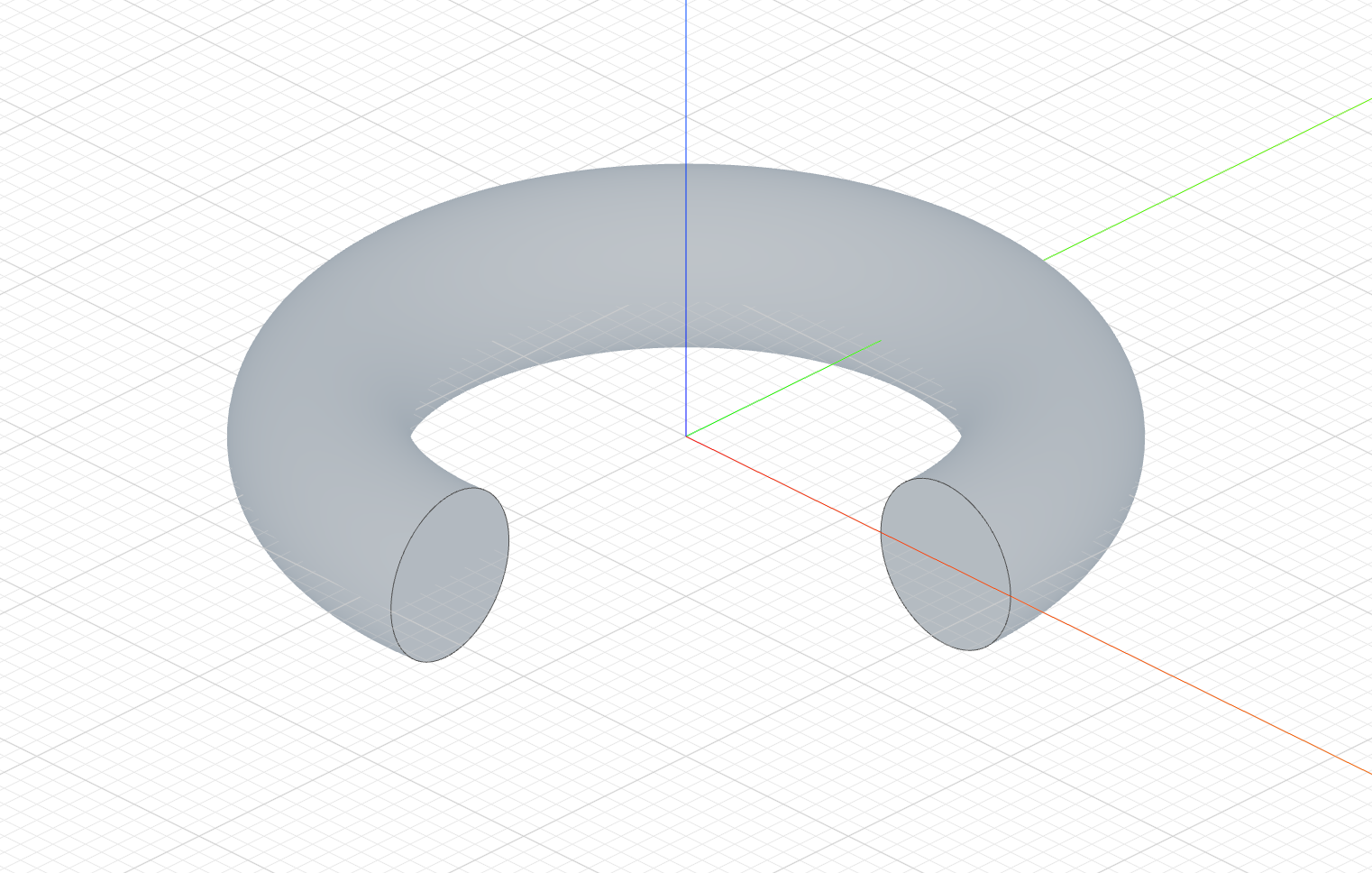
revolve("z", 275)The circle swept 275° around Z — a ring with a wedge missing, so you can see the two end faces the partial turn leaves.
The sketch
import { sketch, circle, origin } from 'fluidcad/core';
import { diameter, distance, horizontal } from "fluidcad/constraints";

// The profile, on the front (xz) plane — the plane that contains the Z axis
// the revolve turns around. The 80 mm from the origin is what keeps the
// profile off the axis, so it sweeps a ring rather than a ball.
sketch("xz", () => {
    const c = circle([80, 0], 40);
    horizontal(origin(), c.center());
    distance(origin(), c.center(), 80);
    diameter(c, 40);
  })
The complete file
import { sketch, revolve } from 'fluidcad/core';
import { circle } from 'fluidcad/core';

// The profile lies on the front (xz) plane, which contains the Z axis.
// The circle is 80 off the axis, so the revolve makes a ring.
sketch("xz", () => {
    circle([80, 0], 40)
})

// Turn the profile 275° around the Z axis; 360 (or no angle) is a full turn.
revolve("z", 275)
Full revolution
Leave the Angle at 360, or omit it in code:
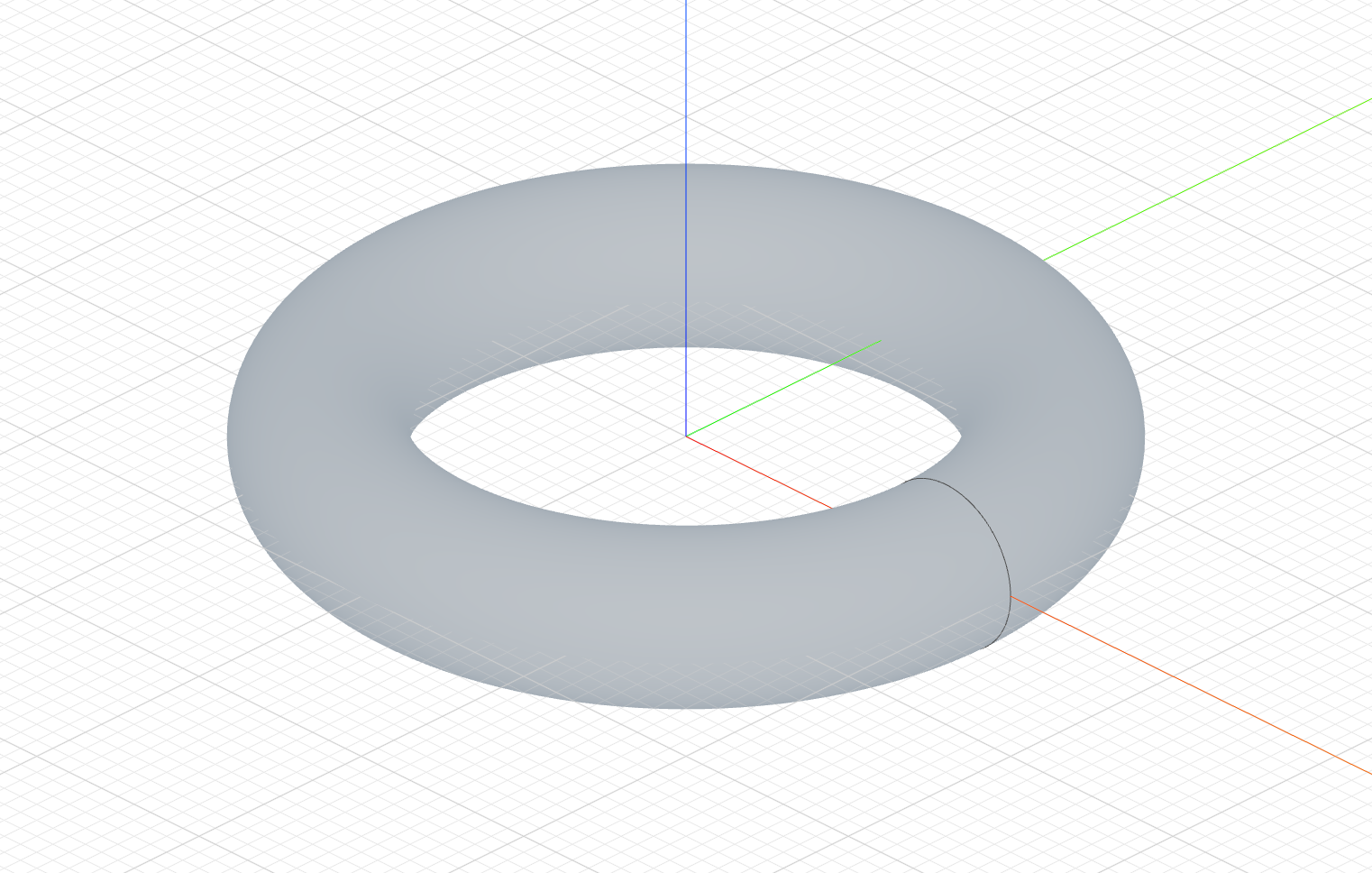
The code behind it
import { sketch, revolve } from 'fluidcad/core';
import { circle } from 'fluidcad/core';

sketch("xz", () => {
    circle([80, 0], 40)
})

// No angle: a full 360° turn around Z.
revolve("z")
A half turn is revolve("z", 180). The profile should be offset from the axis; a profile touching the axis along an edge is fine, one crossing it is not.
Add, New and Remove
The tabs decide how the revolved solid meets what is already there. The base part is a flanged bushing (itself a revolve); the feature is a Ø6 circle on the bushing's outer surface, turned a full 360°. Only the tab changes:
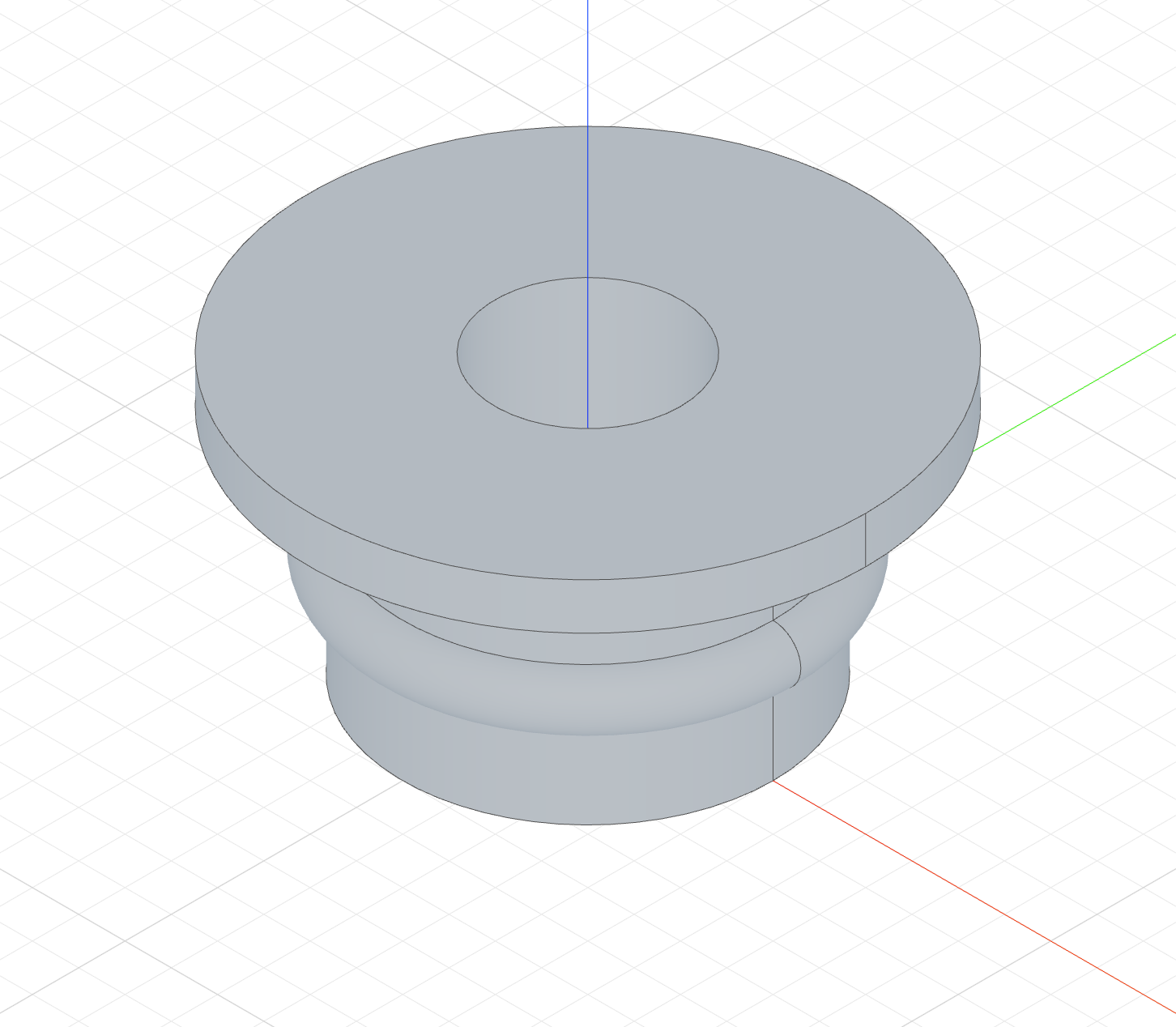
revolve("z")The ring fuses with the bushing — a raised half-round bead.
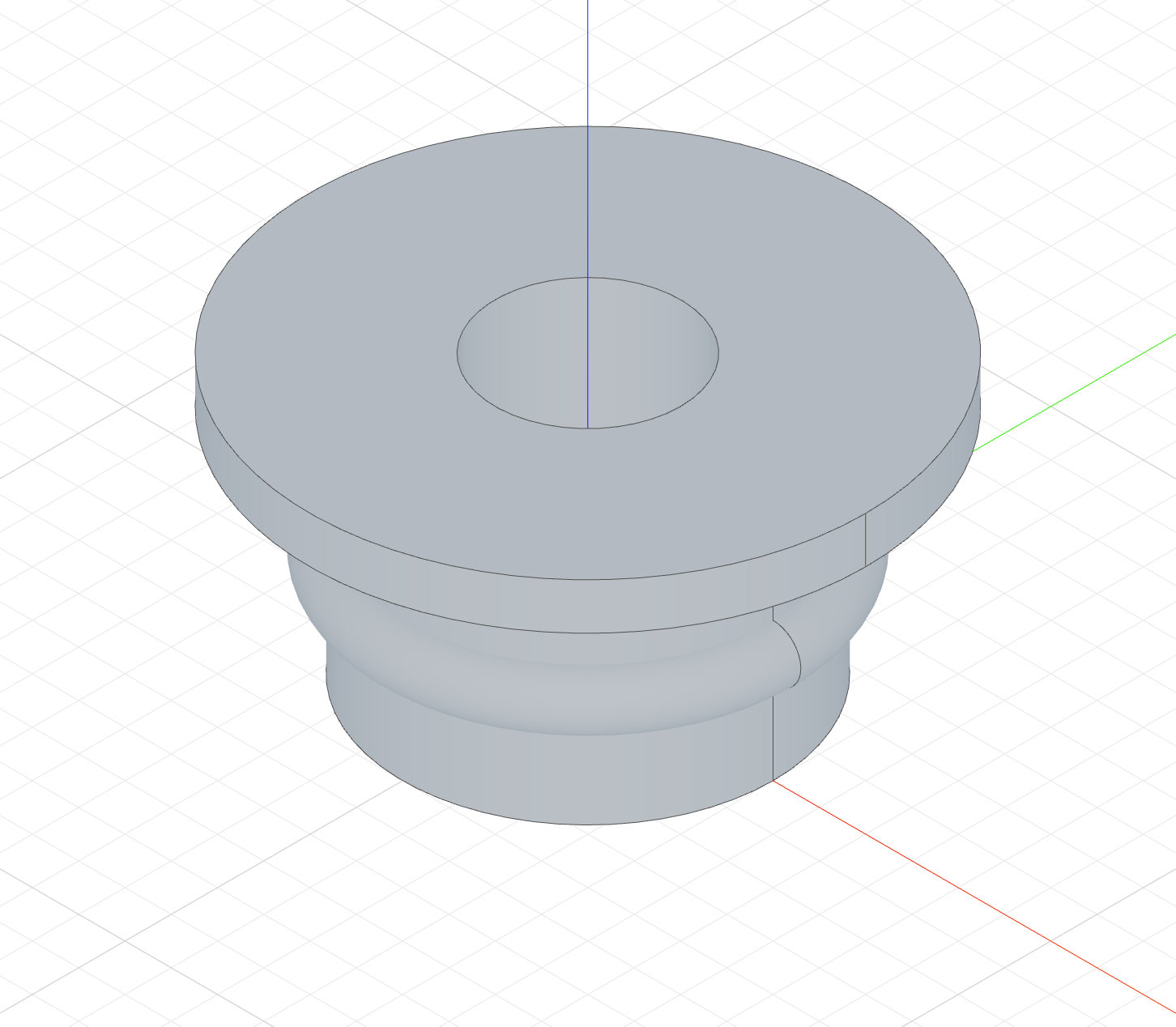
revolve("z").new()The ring is a second solid — an O-ring seated on the bushing.
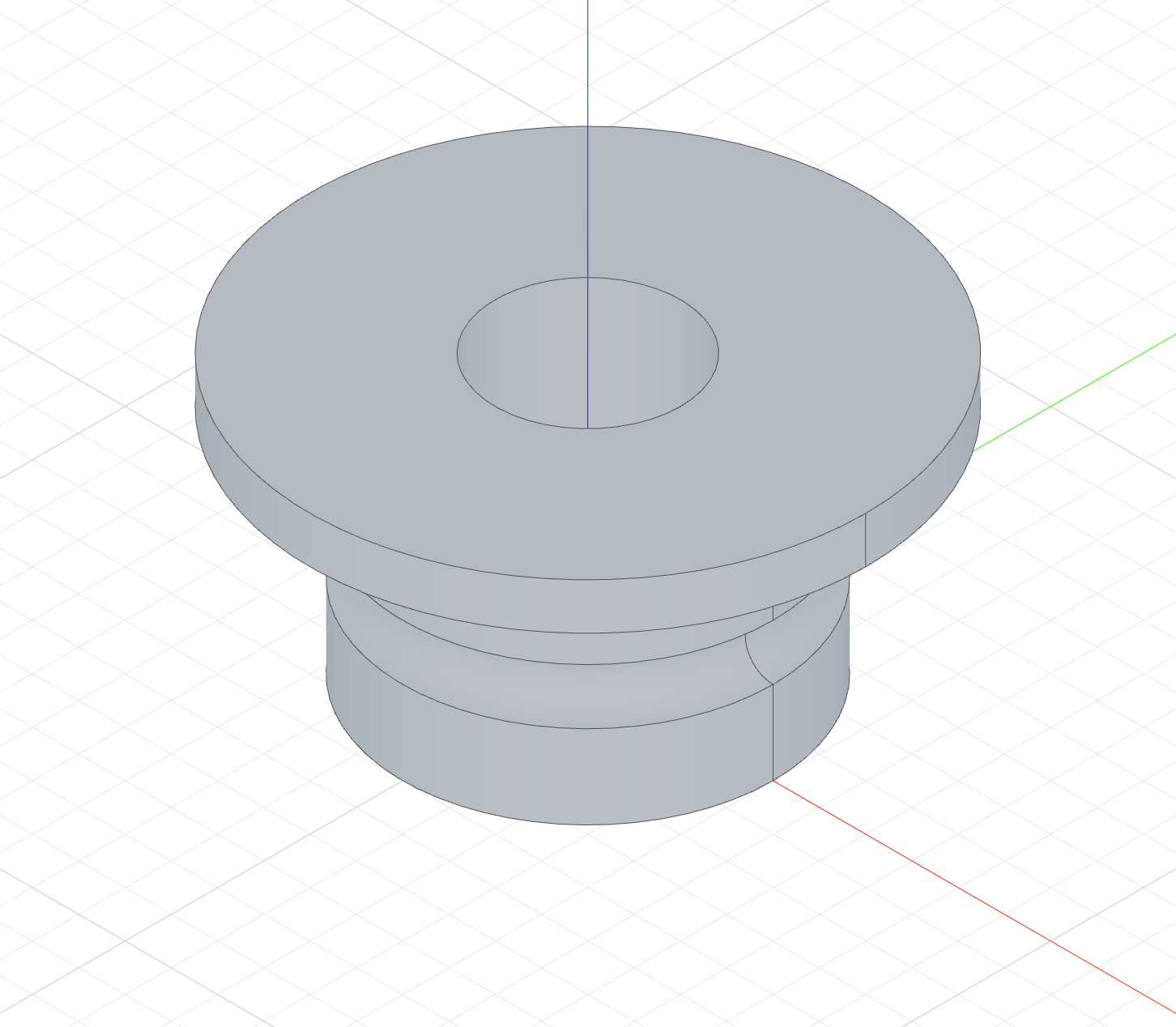
revolve("z").remove()The ring's volume is cut out — a half-round O-ring groove.
The Add column's code
The New and Remove columns only change the highlighted line, to .new() and .remove().
import { sketch, revolve, circle, line } from 'fluidcad/core';
import { coincident, distance, fix, horizontal, vertical } from "fluidcad/constraints";

// The base part every column shares: a flanged bushing, itself a revolve.
// The profile is the bushing's half cross-section on the front plane:
// bore radius 10, body radius 20 and 25 tall, flange radius 30 and 5 thick.
sketch("xz", () => {
    const b1 = line([10, 0], [20, 0]);
    const b2 = line([20, 0], [20, 25]);
    const b3 = line([20, 25], [30, 25]);
    const b4 = line([30, 25], [30, 30]);
    const b5 = line([30, 30], [10, 30]);
    const b6 = line([10, 30], [10, 0]);
    coincident(b1.end(), b2.start());
    coincident(b2.end(), b3.start());
    coincident(b3.end(), b4.start());
    coincident(b4.end(), b5.start());
    coincident(b5.end(), b6.start());
    coincident(b6.end(), b1.start());
    horizontal(b1);
    vertical(b2);
    horizontal(b3);
    vertical(b4);
    horizontal(b5);
    vertical(b6);
    fix(b1.start(), [10, 0]);
    distance(b1.start(), b1.end(), 10);
    distance(b2.start(), b2.end(), 25);
    distance(b3.start(), b3.end(), 10);
    distance(b4.start(), b4.end(), 5);
  })
const bushing = revolve("z")

// The feature profile: a Ø6 circle centred on the bushing's outer surface,
// halfway up the body — the cross-section of an O-ring.
sketch("xz", () => {
    circle([20, 12], 6);
  })

// Add tab: the ring fuses with the bushing — a raised half-round bead.
revolve("z")
Thin walls
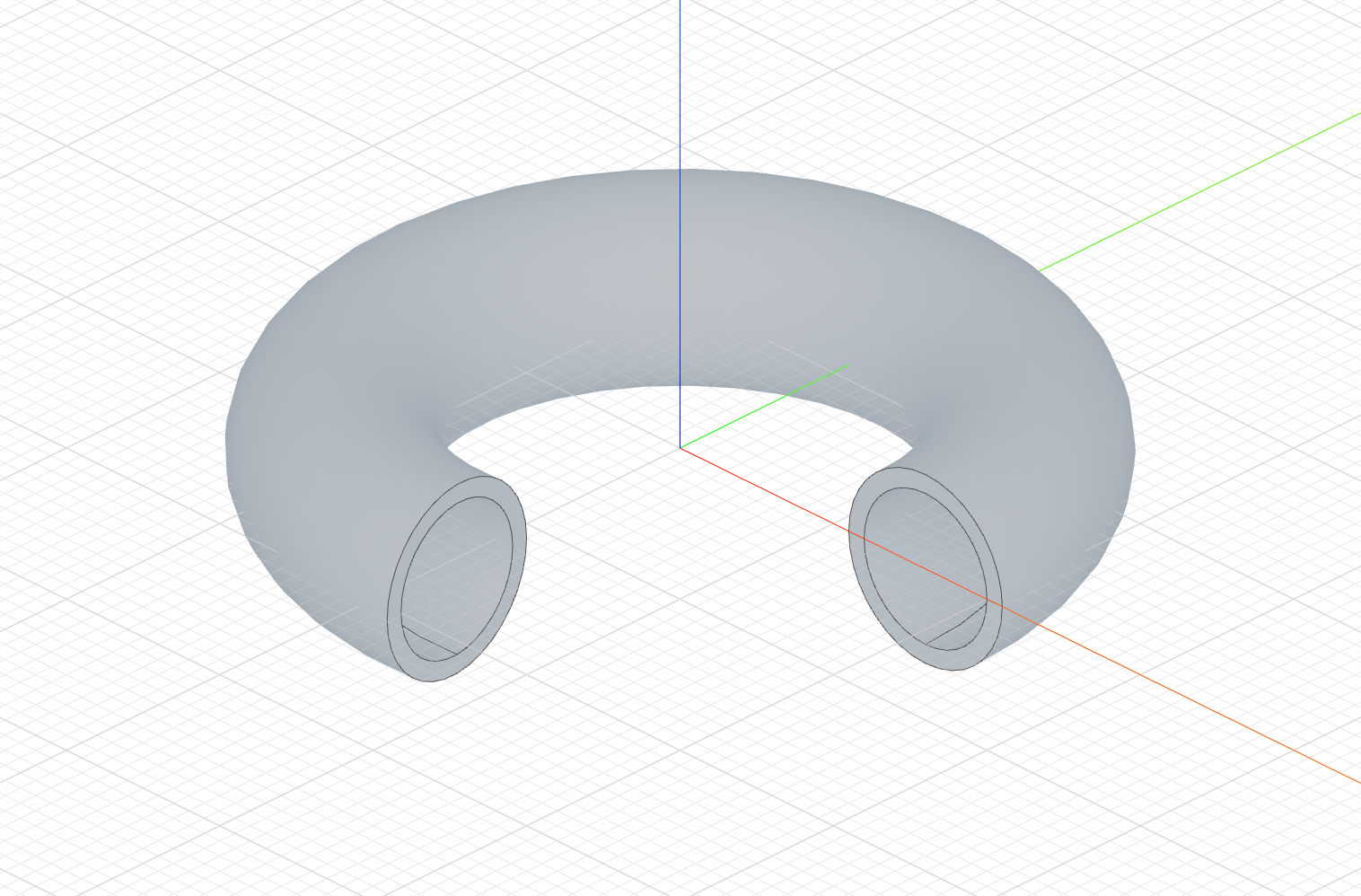
Turn on Thin and type a thickness. The profile's edges are offset by the thickness and the band between them is revolved, so a closed profile becomes a hollow body and an open profile becomes a shell.
The code behind it
import { sketch, revolve } from 'fluidcad/core';
import { circle } from 'fluidcad/core';

sketch("xz", () => {
    circle([80, 0], 40)
})

revolve("z", 275).thin(5)
Positive values offset outward, negative values offset inward:
revolve("z").thin(5)     // 5 units outward
revolve("z").thin(-5)    // 5 units inward
revolve("z").thin(5, -3) // dual offset in opposite directions
Thin in the three modes
Same bushing, and an open profile this time — a slanted line from inside the wall outward, the cross-section of a conical lip. Thin mode does not need a closed profile, and an open one shows the wall clearly. Only the tab changes between the columns:
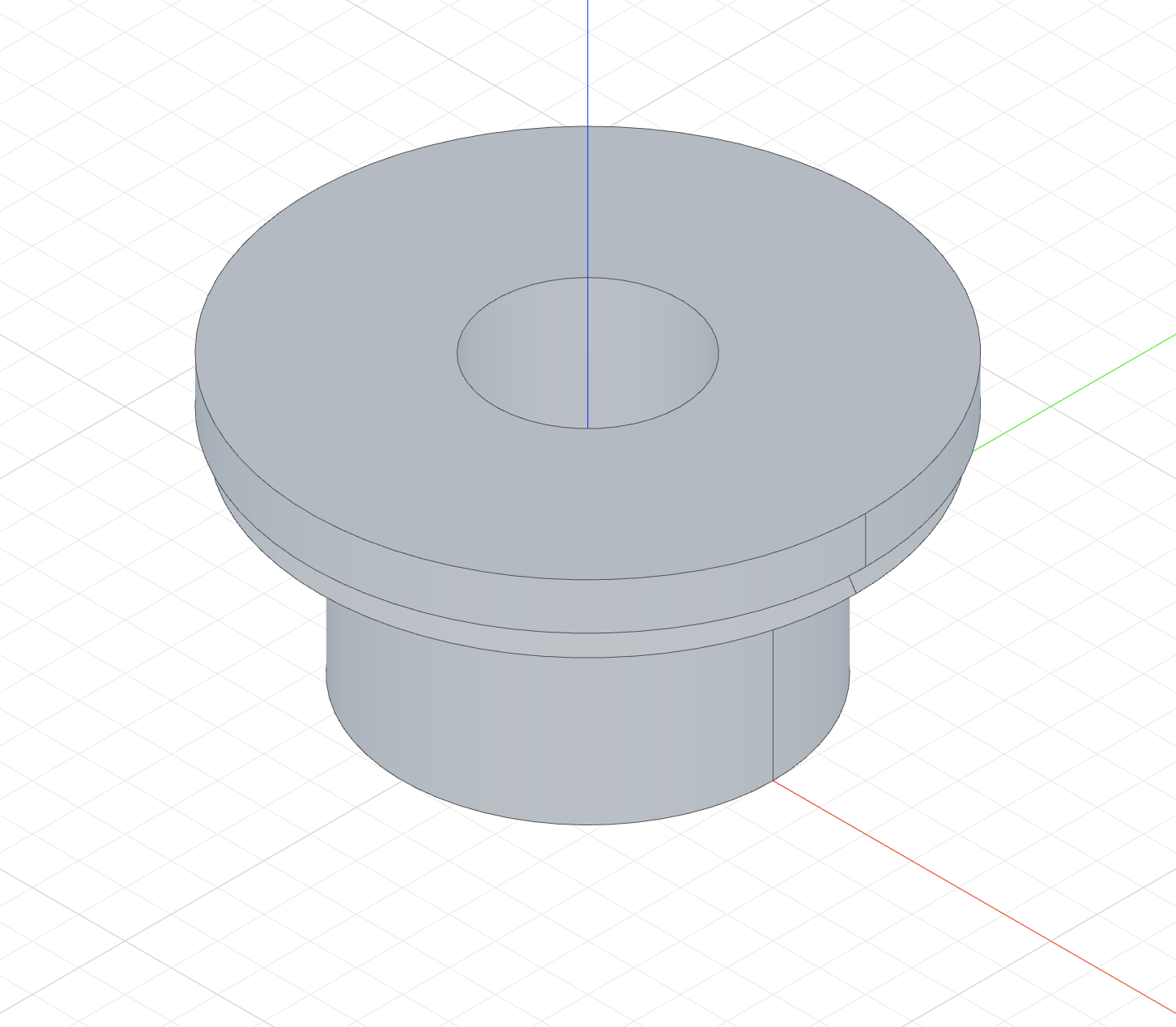
revolve("z").thin(2)A 2-thick conical dust lip fused with the bushing.
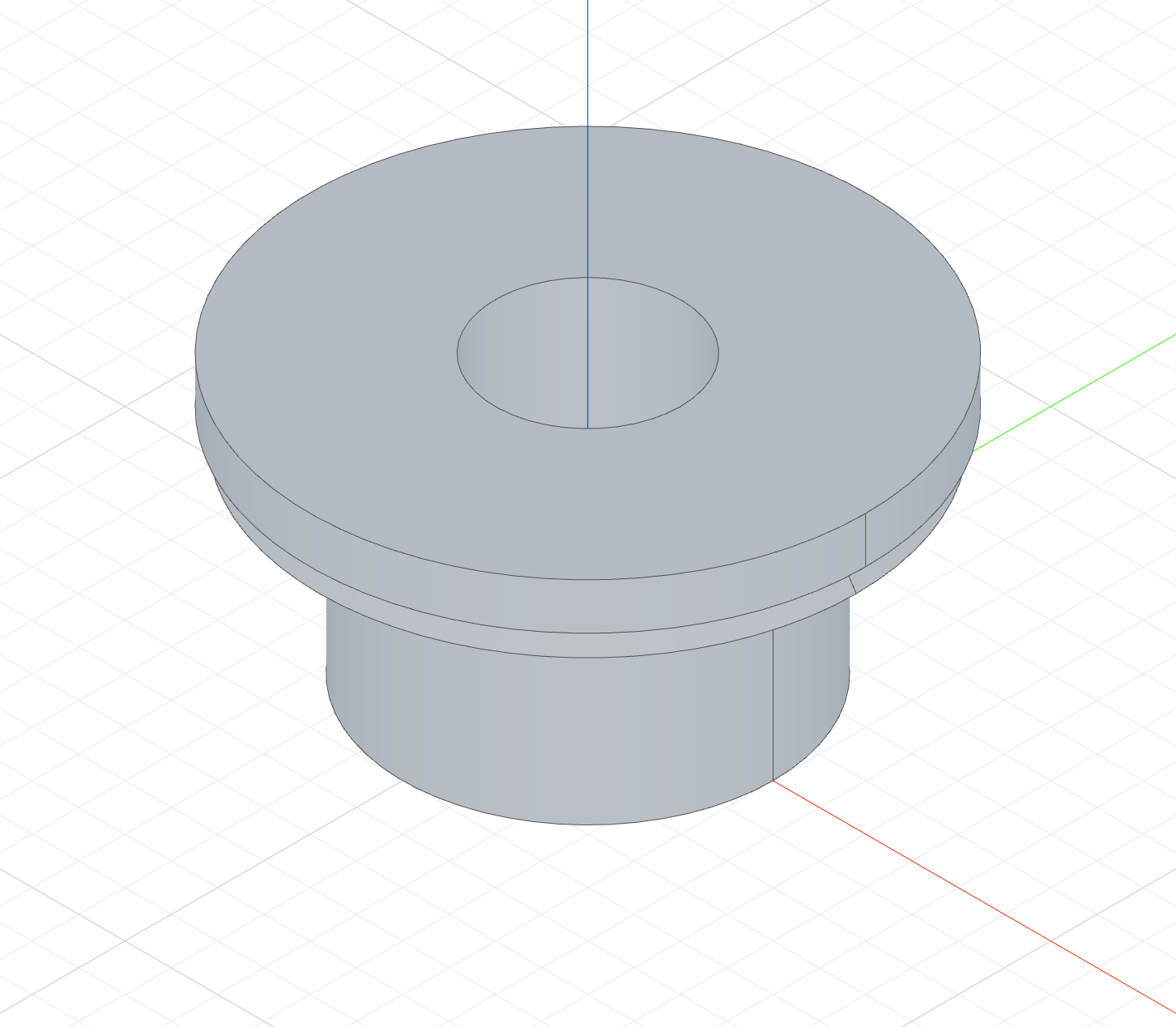
revolve("z").thin(2).new()The same cone as a body of its own — a dust shield.
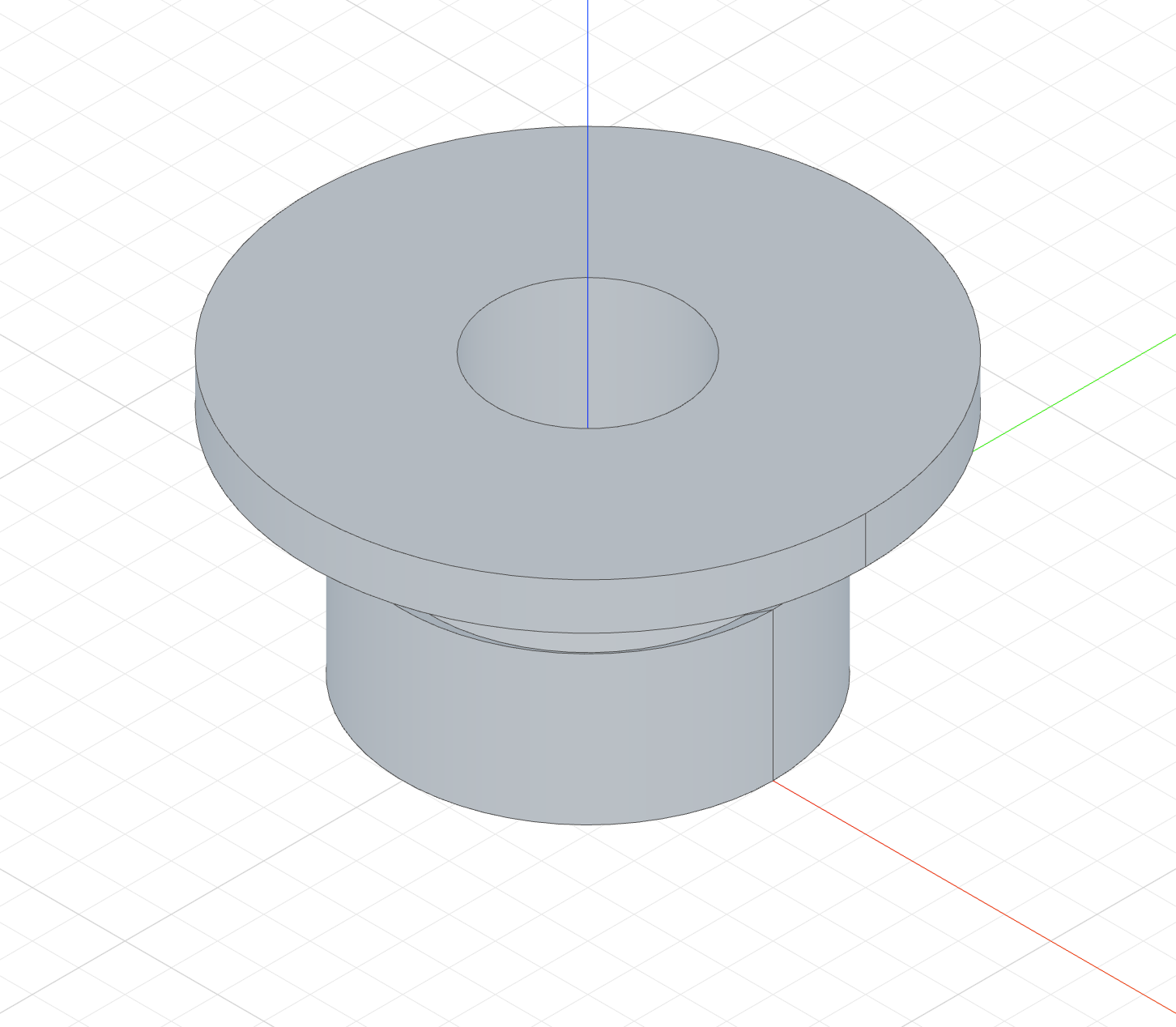
revolve("z").thin(2).remove()Only the wall is cut: a 2-wide conical slit into the outer wall.
The Add column's code
import { sketch, revolve, line } from 'fluidcad/core';
import { coincident, distance, fix, horizontal, vertical } from "fluidcad/constraints";

// The base part every column shares: a flanged bushing, itself a revolve.
// The profile is the bushing's half cross-section on the front plane:
// bore radius 10, body radius 20 and 25 tall, flange radius 30 and 5 thick.
sketch("xz", () => {
    const b1 = line([10, 0], [20, 0]);
    const b2 = line([20, 0], [20, 25]);
    const b3 = line([20, 25], [30, 25]);
    const b4 = line([30, 25], [30, 30]);
    const b5 = line([30, 30], [10, 30]);
    const b6 = line([10, 30], [10, 0]);
    coincident(b1.end(), b2.start());
    coincident(b2.end(), b3.start());
    coincident(b3.end(), b4.start());
    coincident(b4.end(), b5.start());
    coincident(b5.end(), b6.start());
    coincident(b6.end(), b1.start());
    horizontal(b1);
    vertical(b2);
    horizontal(b3);
    vertical(b4);
    horizontal(b5);
    vertical(b6);
    fix(b1.start(), [10, 0]);
    distance(b1.start(), b1.end(), 10);
    distance(b2.start(), b2.end(), 25);
    distance(b3.start(), b3.end(), 10);
    distance(b4.start(), b4.end(), 5);
  })
const bushing = revolve("z")

// The feature profile: an OPEN line that starts inside the bushing wall and
// flares outward — the cross-section of a conical dust lip. Thin mode gives
// it a wall thickness, so no closed profile is needed.
sketch("xz", () => {
    const lip = line([17, 14], [29, 22]);
    fix(lip.start(), [17, 14]);
    fix(lip.end(), [29, 22]);
  })

// Add + Thin: a 2-thick conical lip, fused with the bushing.
revolve("z").thin(2)
Open profiles
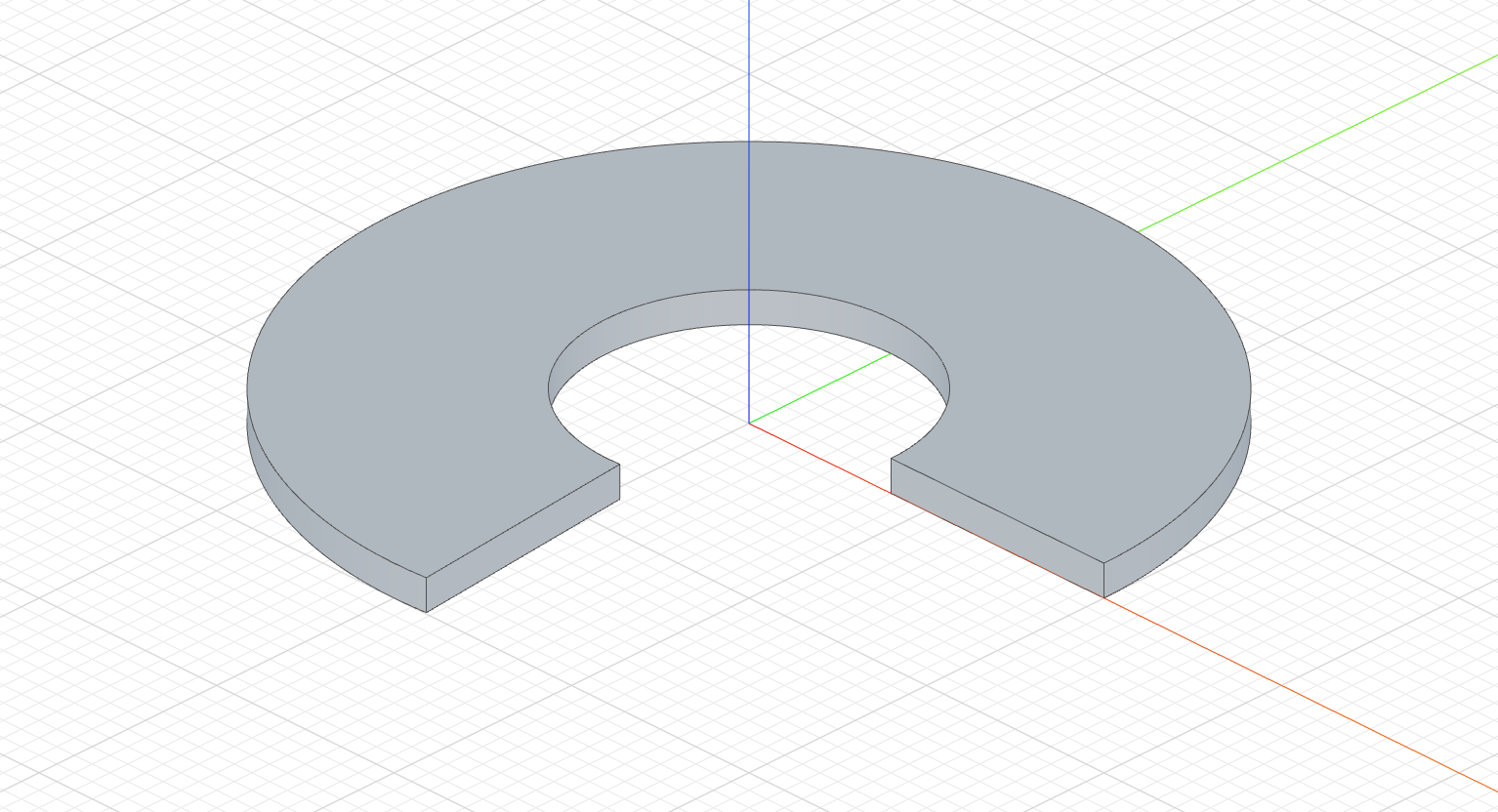
The ends of a thin revolve from an open profile are capped; select the caps with capFaces() / capEdges():
The code behind it
import { sketch, revolve } from 'fluidcad/core';
import { line } from 'fluidcad/core';

sketch("xz", () => {
    line([40, 0], [100, 0])
})

revolve("z", 275).thin(8).new()
Thin revolve works with partial revolutions and every tab.
Region picking
When the profile sketch has several regions, click Pick regions under the Sketch picker of the revolve dialog and click the regions to revolve in the viewport: each click adds the region (the picker counts them, its ✕ clears them), clicking a selected region removes it, and Done leaves the mode. Apply declares each pick inside the sketch with region() and names it on the revolve.
const s = sketch("xz", () => {
  const c1 = circle([20, 0], 16);
  const b = line(...), r = line(...), t = line(...), l = line(...);
  region('disc', c1);             // written by the pick: the disc inside circle c1
  region('plate', b, r, t, l);    // the region closed by lines b, r, t, l
});
revolve("z", 360, s).region('disc')
A declaration names the region by the entities on its outer loop, so it survives dimension edits and unrelated changes to the sketch. Reading a declaration, and what happens when a region's boundary is redrawn, is under region picking on the Extrude page.
Accessing geometry
const r = revolve("z", 180)

r.endFaces()       // face(s) at the end of the revolution
r.startFaces()     // face(s) at the start
r.sideFaces()      // outer surface(s)
r.internalFaces()  // inner wall face(s) of a thin revolve (closed profile)
r.capFaces()       // cap face(s) of a thin revolve (open profile)
Fusion scope
revolve("z").new()                // create a separate solid
revolve("z").add()                // fuse with touching solids (default)
revolve("z").remove()             // subtract from all intersecting solids
revolve("z").remove().scope(box)  // subtract only from the box