Part parameters
A part declares its parameters with param(). Inserted into an assembly, that list is the part's interface: every insert() can supply its own values, and the same definition builds one variant per distinct set of values. This page is about supplying those values; declaring them is the part file's business.
In the viewport
-
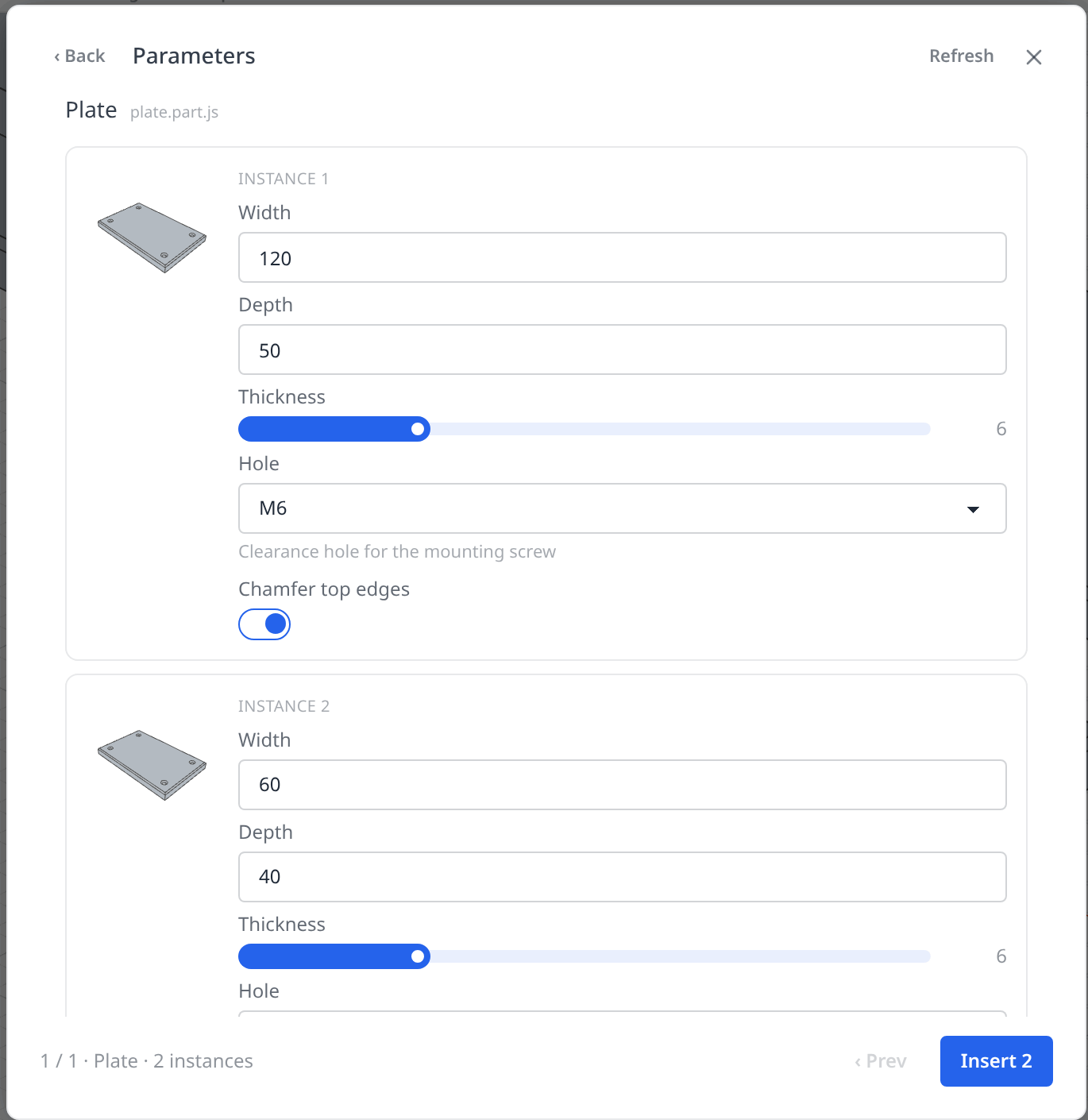
Click Insert and queue the parts. A tile shows how many parameters its part declares; click it once per instance you want. If a queued part declares parameters, Next leads to a parameters page before inserting: one form per queued instance, with the same controls the part's Parameters panel shows (number fields, sliders, selects, checkboxes, colour swatches). Two queued plates can get two widths. Leave a control alone and the part's default applies.
-
Click Insert N. Every instance is written as one
insert()statement; only the values you changed go into its second argument:const plate1 = insert(plate, { Width: 120, Hole: 6.6 });const plate2 = insert(plate, { Width: 60, Depth: 40 }); -
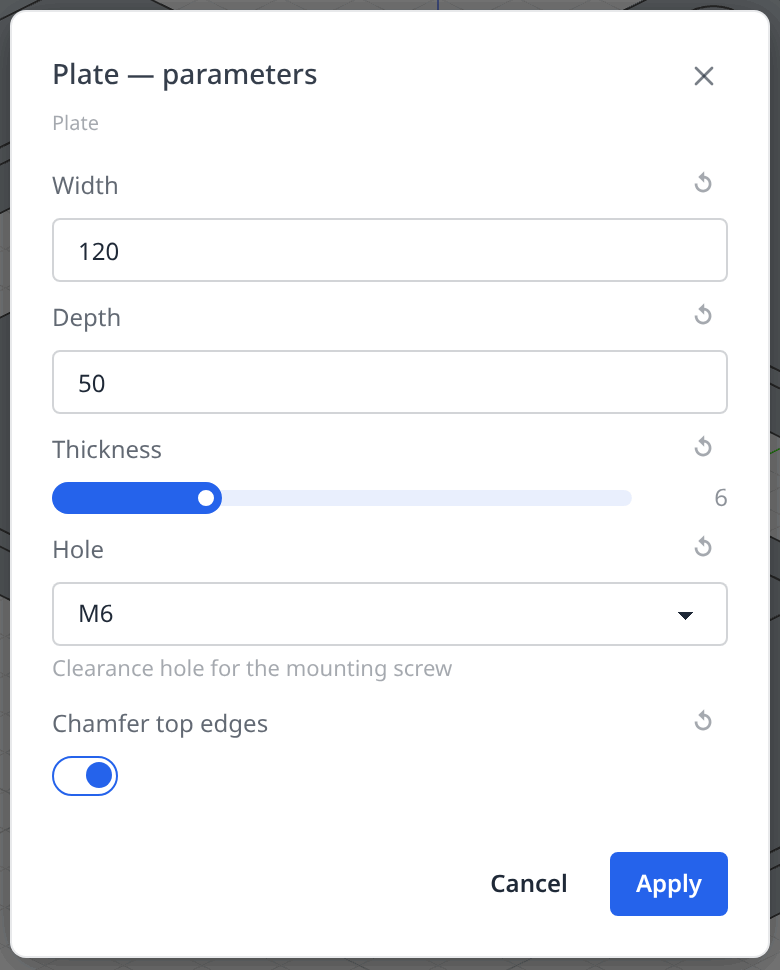
To change an instance later, open its row menu in the Parts panel (right-click, or ⋮) and choose Edit parameters…. The dialog opens on the instance's current values and merges what you change into the statement; the arrow beside a row puts that value back to the part's default. Only the labels you touch are rewritten; an entry you leave alone keeps whatever the source says, an expression included.
-
Value rows are expression inputs: a row whose source holds an expression shows that expression rather than its resolved number, and any number row accepts an expression over the assembly file's own variables.
In code
The second argument of insert() maps parameter labels to values:
insert(plate, { Width: 120, Hole: 6.6 });
| Control | Value to pass |
|---|---|
number, slider | a number |
text | a string |
select | one option's value; with multi: true, an array of them |
checkbox | true or false |
color | a CSS colour string |
- A label you omit keeps the default declared in the part file.
- A label the part never reads is reported as a warning when the assembly builds, not an error, so a renamed parameter cannot silently break the assembly.
- Numbers are read in the part file's unit.
{ Length: 10 }on a part modelled in inches means 10 in, whatever the assembly's project unit is. See Units. - Values can be expressions: an override may name a variable of the assembly file, including one of the assembly's own parameters.
Variants share builds
insert(def) and insert(def, { Width: 120 }) are two builds of the part; two insert(def, { Width: 120 }) share one. Repeating an instance is therefore cheap, and a change to one instance's values never rebuilds the others.
Assembly parameters
param() is also legal at the top of an assembly() body, where it is the assembly's own value: the inserts below can pass it on, and a sub-assembly declared this way has a parameter interface of its own, overridden exactly like a part's — insert(stack, { Levels: 4 }). The Insert dialog shows the same parameter page for a queued sub-assembly as for a part. An assembly's parameters have no panel in the assembly workspace; set them in the source, or from the parent's insert().
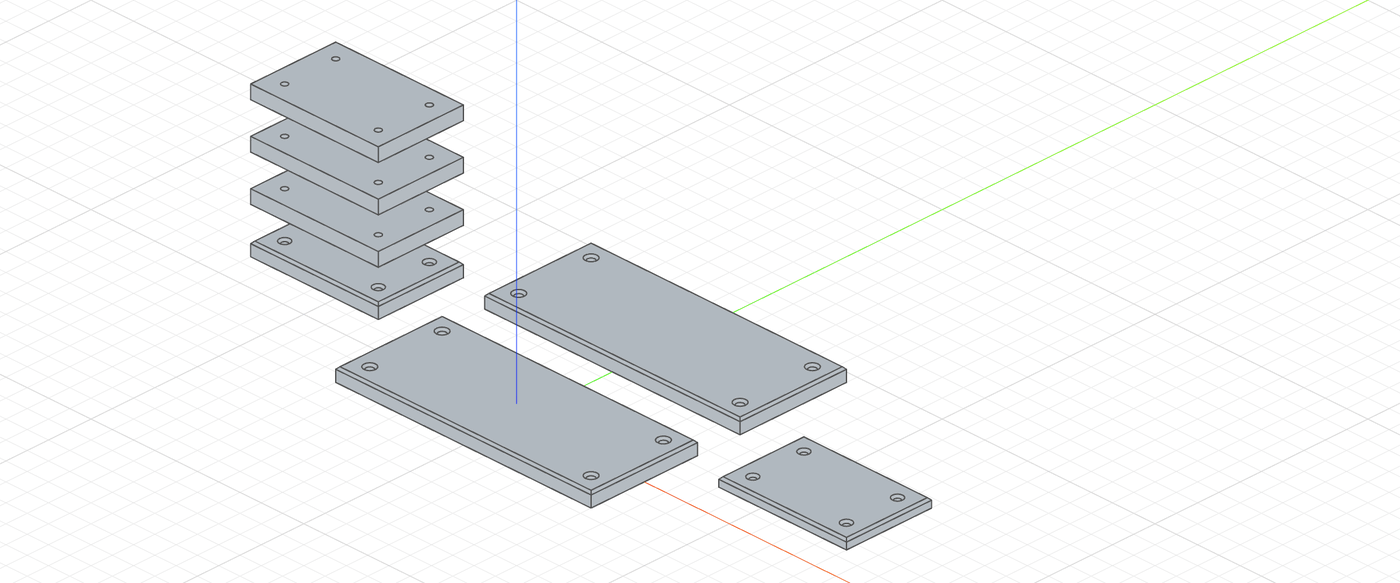
Overrides per instance and a parametric sub-assembly
plate is the mounting plate from the Param page; its parameters are Width, Depth, Thickness, Hole and Chamfer top edges.
import { assembly, insert, param } from 'fluidcad/core';
import { plate } from './plate.part.js';

// A parametric sub-assembly: a column of plates. Its own param() is the
// interface a parent overrides — insert(stack, { Levels: 4 }).
const stack = assembly('stack', () => {
    const levels = param('Levels', 3, 'number', { min: 1, max: 6, step: 1 });
    insert(plate, { Width: 60, Depth: 40 }).grounded();
    for (let i = 1; i < levels; i++) {
        insert(plate, { Width: 60, Depth: 40, 'Chamfer top edges': false }).translate(0, 0, i * 20);
    }
});

export const frame = assembly('frame', () => {
    // The assembly's own parameter — shown in its Parameters panel and
    // passed on to the inserts below.
    const rail = param('Rail width', 120, 'number', { min: 80, max: 200, step: 10 });
    // Overrides are keyed by the part's labels. These two share one build.
    insert(plate, { Width: rail, Hole: 6.6 }).grounded();
    insert(plate, { Width: rail, Hole: 6.6 }).translate(0, 70, 0);
    // A different set of values is a second variant of the same part.
    insert(plate, { Width: 60, Depth: 40, Thickness: 4 }).translate(rail / 2 + 50, 35, 0);
    // The sub-assembly's parameter, overridden the same way.
    insert(stack, { Levels: 4 }).translate(-(rail / 2 + 50), 35, 0);
});