Axes
An axis is a line with a direction: what a profile revolves around, what a circular pattern turns about, what a rotation pivots on, what a helix coils around. The three world axes are always there; axis() builds any other one from an offset, from an edge, or between two axes.
The world axes
"x", "y" and "z" name the world axes through the origin. They are accepted wherever an axis is expected, and they always mean the world axes — even inside a sketch on a tilted plane (see sketch axes below for the other case).
revolve("z")                                       // turn the profile around world Z
repeat("circular", "z", { count: 6, angle: 360 }, hole)
rotate("x", 90, body)
helix("z").pitch(10).turns(4)
In the viewport
There is no separate Axis tool: axes are picked inside the dialogs that need one. The Revolve, Repeat, Copy and Rotate dialogs each carry an Axis slot:
-
Click the slot to arm it (it takes the primary border).
-
Click a straight edge in the viewport, or one of the world axes the viewport shows while the slot is armed (X red, Y green, Z blue). Existing
axis()features can be clicked too, in the viewport or the timeline — including one a feature already used: its line left the screen with that feature, but the slot lists it named after its user (spindle · used by Revolve), its timeline row picks it, and the dialog draws the line again while it holds it. The eye on its timeline row shows it outside a dialog. -
The dialog writes the reference into the statement: a world axis as
"z", a picked edge as a selector such asselect(edge().…)or the producing feature's accessor.
Circular and Rotate patterns default their empty slot to world Z. Offset axes and mid-axes are written in code.
Offset axes
axis() with a world axis and transform options moves the axis away from the origin. A crank is the classic case: the shaft turns on the world Z axis, and the crank pin is revolved around a second axis parallel to it, one throw away:
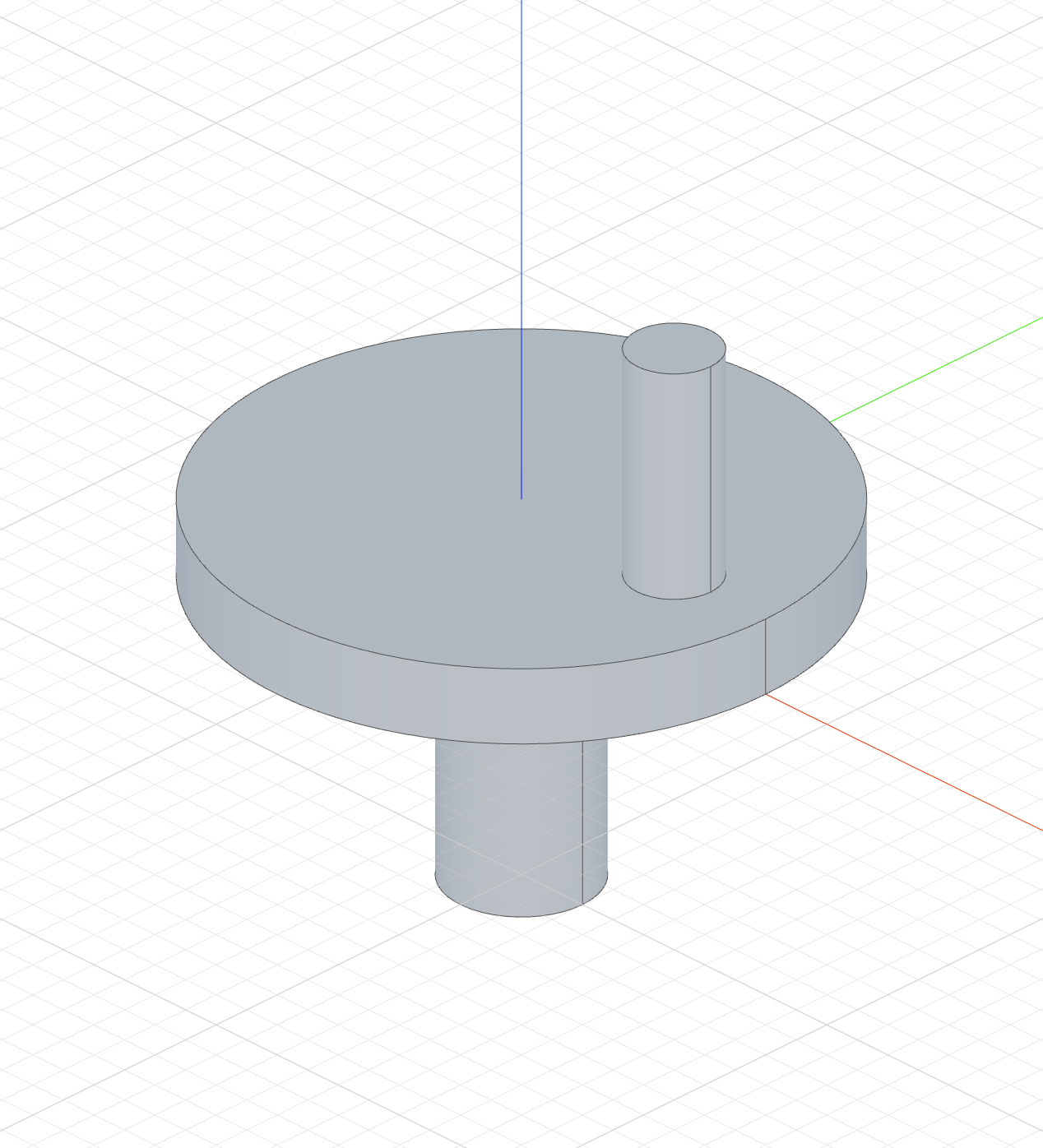
The code behind it
import { sketch, circle, extrude, line, revolve, axis } from 'fluidcad/core';
import { coincident, distance, fix, horizontal, vertical } from 'fluidcad/constraints';

// A crank: the main shaft turns on the world Z axis, the crank pin stands on
// the web at a throw of 25 from it.
sketch("xy", () => { circle([0, 0], 80); });
const web = extrude(10);

// The main shaft, hanging below the web on the world Z axis.
sketch("xy", () => { circle([0, 0], 20); });
extrude(-40);

// The crank pin's axis: world Z shifted 25 along X — the throw. Anything
// revolved around it is centred on the pin, not on the shaft.
const pinAxis = axis("z", { offsetX: 25 });

// The pin's half-profile, drawn on the front plane beside its axis: 6 wide
// (the pin radius), from the web's top face up to 40.
sketch("xz", () => {
    const b = line([25, 10], [31, 10]);
    const r = line([31, 10], [31, 40]);
    const t = line([31, 40], [25, 40]);
    const l = line([25, 40], [25, 10]);
    coincident(b.end(), r.start());
    coincident(r.end(), t.start());
    coincident(t.end(), l.start());
    coincident(l.end(), b.start());
    horizontal(b);
    vertical(r);
    horizontal(t);
    vertical(l);
    fix(b.start(), [25, 10]);
    distance(b.start(), b.end(), 6);
    distance(r.start(), r.end(), 30);
});
revolve(pinAxis);
The options translate first, then rotate around the world axes:
| Option | Meaning |
|---|---|
offsetX, offsetY, offsetZ | move the axis origin along the world axes |
rotateX, rotateY, rotateZ | tilt the direction around the world axes, in degrees |
axis("z", { offsetX: 50, offsetY: 30 })   // vertical axis through (50, 30)
axis("y", { rotateZ: 30 })                // Y tilted 30° in the ground plane
axis(a, { offsetZ: 10 })                  // an existing axis, shifted
An axis can also be given as a direction vector or as a point-and-direction record: axis([1, 1, 0]), axis({ point: [0, 0, 20], direction: [0, 0, 1] }).
Axes from geometry
Pass a straight edge and the axis is read off it. Nothing is typed, so the axis follows the geometry when dimensions change — a door hinged on the cabinet's own corner stays hinged there whatever the cabinet's size:
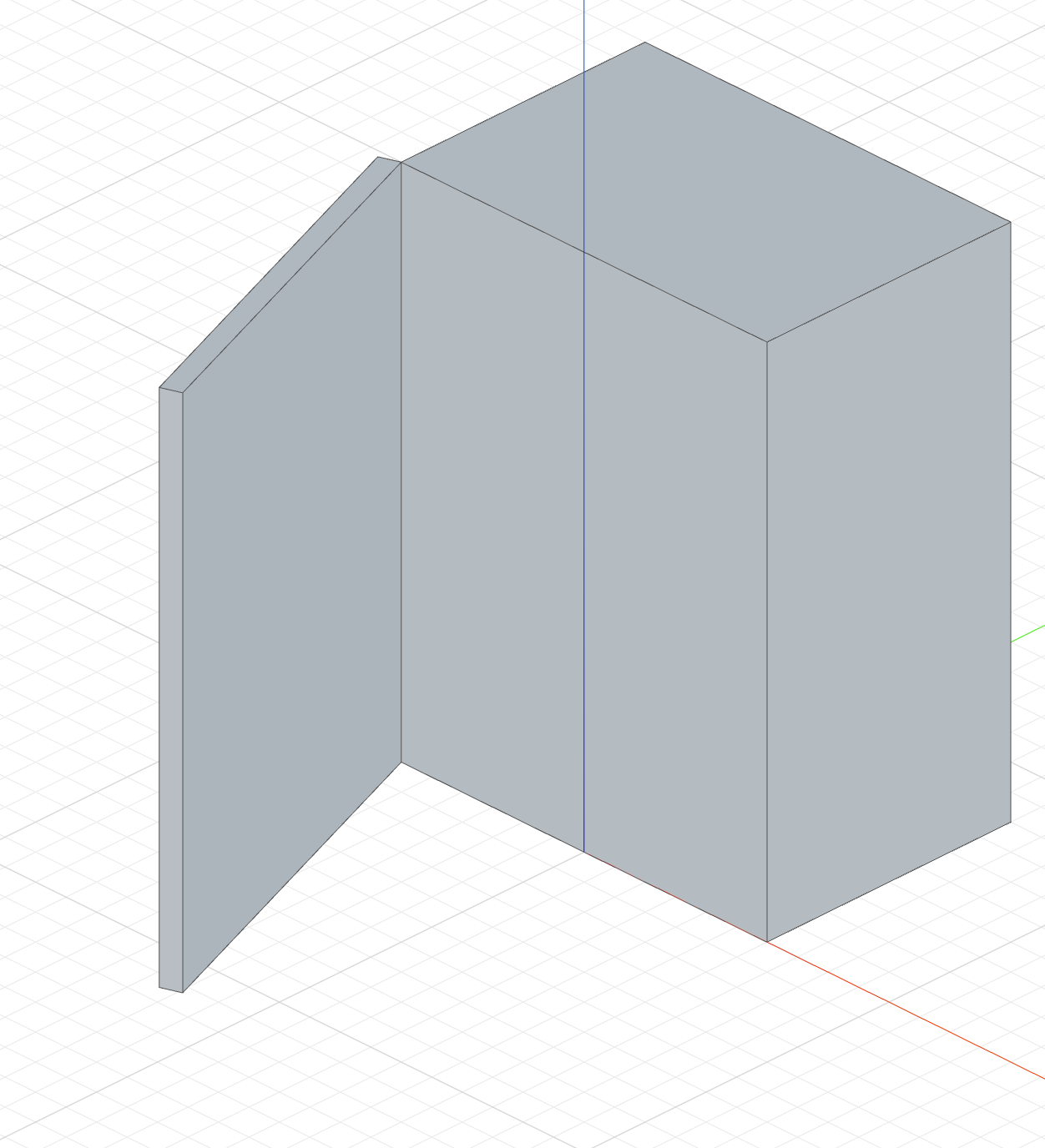
The code behind it
import { sketch, extrude, axis, rotate, line } from 'fluidcad/core';
import { coincident, distance, fix, horizontal, vertical } from 'fluidcad/constraints';

// A cabinet with a door: the door swings open around the cabinet's front
// edge, and that axis is read from the cabinet itself.
sketch("xy", () => {
    const b = line([-30, 0], [30, 0]);
    const r = line([30, 0], [30, 40]);
    const t = line([30, 40], [-30, 40]);
    const l = line([-30, 40], [-30, 0]);
    coincident(b.end(), r.start());
    coincident(r.end(), t.start());
    coincident(t.end(), l.start());
    coincident(l.end(), b.start());
    horizontal(b);
    vertical(r);
    horizontal(t);
    vertical(l);
    fix(b.start(), [-30, 0]);
    distance(b.start(), b.end(), 60);
    distance(r.start(), r.end(), 40);
});
const cabinet = extrude(80);

// The door: a 3 thick panel in front of the cabinet, kept a separate body.
sketch("xy", () => {
    const b = line([-30, -3], [30, -3]);
    const r = line([30, -3], [30, 0]);
    const t = line([30, 0], [-30, 0]);
    const l = line([-30, 0], [-30, -3]);
    coincident(b.end(), r.start());
    coincident(r.end(), t.start());
    coincident(t.end(), l.start());
    coincident(l.end(), b.start());
    horizontal(b);
    vertical(r);
    horizontal(t);
    vertical(l);
    fix(b.start(), [-30, -3]);
    distance(b.start(), b.end(), 60);
    distance(r.start(), r.end(), 3);
});
const door = extrude(80).new();

// The hinge axis, read off the cabinet: its first vertical edge is the
// front-left corner. No coordinates typed — resize the cabinet and the hinge
// stays on the corner.
const hinge = axis(cabinet.sideEdges(0));

// Swing the door open by 70° around the hinge.
rotate(hinge, -70, door);
axis(e.sideEdges(0))                     // the first side edge of an extrude
axis(select(edge().line().onPlane("yz", -30)))   // a filtered straight edge
axis(e.sideEdges(0), { offsetZ: 5 })     // read from the edge, then shifted
The edge must be a line: a circular edge is refused (Edge does not represent a line). For the centre line of a bore, revolve or pattern around the world axis or an offset axis instead. A selection has to resolve to one edge; narrow it with a filter when a body has several candidates.
Mid-axes
Two axes give the axis halfway between them, useful for symmetric layouts:
axis("x", "y")                         // the diagonal in the ground plane
axis(a1, a2, { offsetZ: 20 })          // between two axis features, then shifted
Sketch axes
Inside a sketch, "x" and "y" still mean the world axes. On the ground plane that matches the sketch's own axes; on a front-plane sketch, world Y is the plane's normal, so mirror("y", …) would fold the geometry through the plane. The sketch's own axes are the datums xAxis() and yAxis() — the same fixed lines constraints target — and the 2D transforms take them as directions:
| Sketch plane | xAxis() | yAxis() |
|---|---|---|
"xy" / "top" | world +X | world +Y |
"xz" / "front" | world +X | world +Z |
"yz" / "right" | world +Y | world +Z |
sketch("front", () => {
    const b = bezier([0, 0], [-40, 60], [0, 90]);
    mirror(yAxis(), b);           // across the sketch's vertical — world Z here
});
The datums work on face sketches and plane() targets too, and they are per argument: copy("linear", [yAxis(), "x"], …) mixes a sketch direction with a world one. See Mirror and Copy in the sketch tools.
Where axes are consumed
An axis is consumed for display only: the feature that takes it hides its line from that point on, and any later feature can take the same axis again by variable — revolve(a, 180) twice over one axis() needs no marker. remove(a) takes it away for good.
| Feature | Axis argument |
|---------|---------------|
| Revolve | revolve(axis, angle?) — the sketch plane must contain the axis |
| Repeat circular / rotate | repeat("circular", axis, options, feature) |
| Copy circular | copy("circular", axis, options) |
| Rotate | rotate(axis, degrees, ...targets) |
| Sketch Mirror / Copy linear | mirror(yAxis(), …), copy("linear", xAxis(), …) — the sketch datums or axis(l) over a sketched line |
| Helix | helix(axis) |
| Rotate a plane or an instance | plane(p, { rotateX }), insert(def).rotate(axis, deg) |