Color
color() applies a color to faces or entire solids:
import { sketch, extrude, color, select } from 'fluidcad/core';
import { rect } from 'fluidcad/core';
import { face } from 'fluidcad/filters';

sketch("xy", () => {
    rect(100, 60).centered()
})

const e = extrude(30)

select(face().circle())
color("red")

color("orange", e.endFaces())
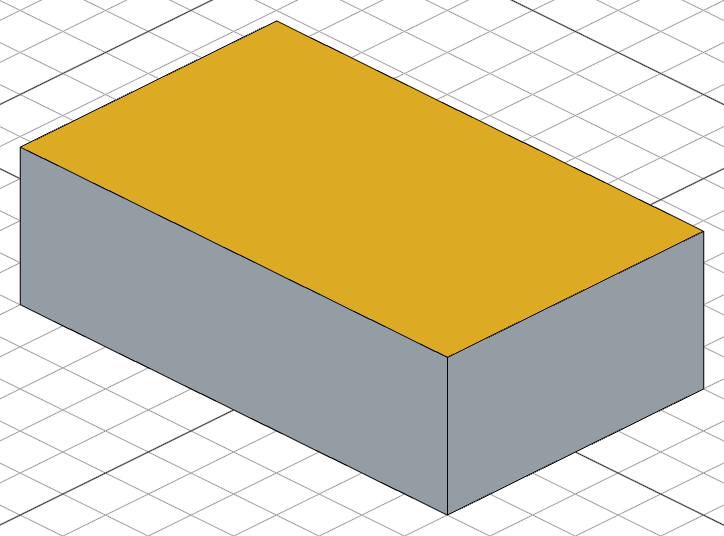
color() accepts named CSS colors ("red", "steelblue", "tomato") and hex values ("#e74c3c", "#2ecc71").
Color with selection
select(face().parallelTo("xy"))
color("#3498db")               // color all horizontal faces

select(face().cylinder())
color("silver")                // color cylindrical faces
Color a whole object
Passing a scene object instead of a face selection colors every face of that object's solids:
const body = extrude(30)
color("steelblue", body)       // color the entire body
This is the quickest way to give a part a base color, which you can then override face by face:
const body = extrude(30)
color("steelblue", body)       // base color for every face

select(face().onPlane("xy", 30))
color("tomato")                // repaint just the top face
Color preservation
Colors are preserved across modifications. You can color a face and then keep modifying the shape — fillet, chamfer, fuse, cut, and other operations all carry colors forward to the resulting faces.
import { sketch, extrude, color, select, fillet } from 'fluidcad/core';
import { circle } from 'fluidcad/core';
import { face } from 'fluidcad/filters';

sketch("xy", () => {
    circle(40)
})

const e = extrude(50)

select(face().onPlane("xy", 50))
color("orange")

// Coloring before the fillet still works — the orange survives the
// modification, and the new arc face inherits the color from its neighbor.
fillet(5, e.endEdges())
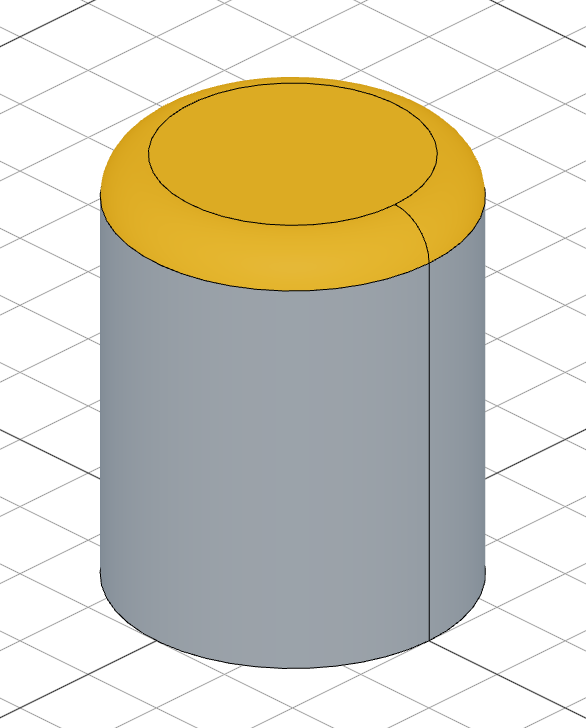
In this example the orange color is applied to the top face before the fillet. After the fillet runs, the new top face is still orange, and so is the fillet's arc face — colors transfer onto modified faces and bleed onto adjacent new geometry.
When a colored face is split (for example by a cut that bisects it), every surviving piece keeps the color. When a colored face is fully removed, its color is dropped.
Color bleeding
When new geometry is fused or merged into a colored shape, the new faces inherit the color from the surrounding colored faces:
import { sketch, extrude, color, select } from 'fluidcad/core';
import { circle } from 'fluidcad/core';
import { face } from 'fluidcad/filters';

sketch("xy", () => {
    circle([0, 0], 80)
})
extrude(50)

select(face().cylinder())
color("red")

// A second extrude fuses into the colored solid. Faces that came from the
// new extrude inherit the red color via "color bleeding" — colors spread
// across edges to adjacent uncolored new faces.
sketch("xy", () => {
    circle([50, 0], 40)
})
extrude(25)
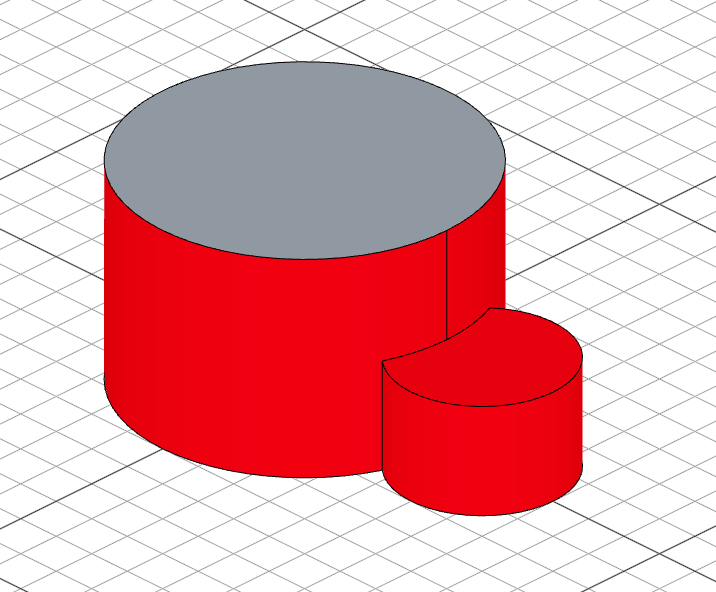
Bleeding only spreads onto faces that came from new geometry — faces that already existed on a shape and were intentionally left uncolored stay uncolored. The same rule applies to fillet arcs, chamfer surfaces, and cut section faces.
Explicit fuse() color rule
When you call fuse() directly, the first input is dominant:
- If the first input has any colors, they propagate to the result (and bleed onto the other inputs).
- If the first input has no colors, the result stays uncolored even if other inputs are colored.
import { sketch, extrude, color, select, fuse } from 'fluidcad/core';
import { circle } from 'fluidcad/core';
import { face } from 'fluidcad/filters';

sketch("xy", () => {
    circle([0, 0], 80)
})
extrude(50)

select(face().cylinder())
color("red")

sketch("xy", () => {
    circle([50, 0], 40)
})
extrude(25).new()

// Explicit fuse(): the FIRST input wins. Its color (red) propagates to the
// fused result. If the first input had no color, the result would stay
// uncolored even when later inputs are colored.
fuse()
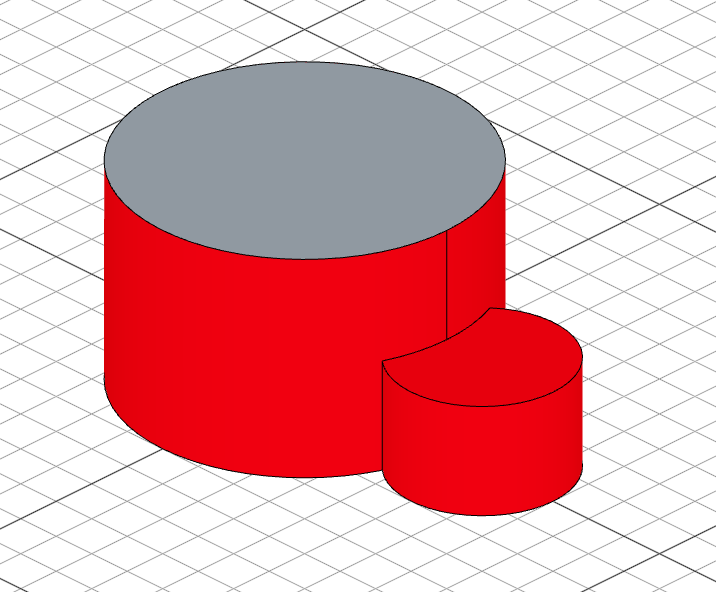
If the first input is uncolored, no color is propagated — coloring later inputs has no effect on the result:
import { sketch, extrude, color, select, fuse } from 'fluidcad/core';
import { circle } from 'fluidcad/core';
import { face } from 'fluidcad/filters';

sketch("xy", () => {
    circle([0, 0], 80)
})
extrude(50).new()

sketch("xy", () => {
    circle([50, 0], 40)
})
extrude(25).new()

// Color the SECOND solid only.
select(face().onPlane("xy", 25))
color("red")

// First input has no color → the fused result stays uncolored, even though
// the second input is red.
fuse()
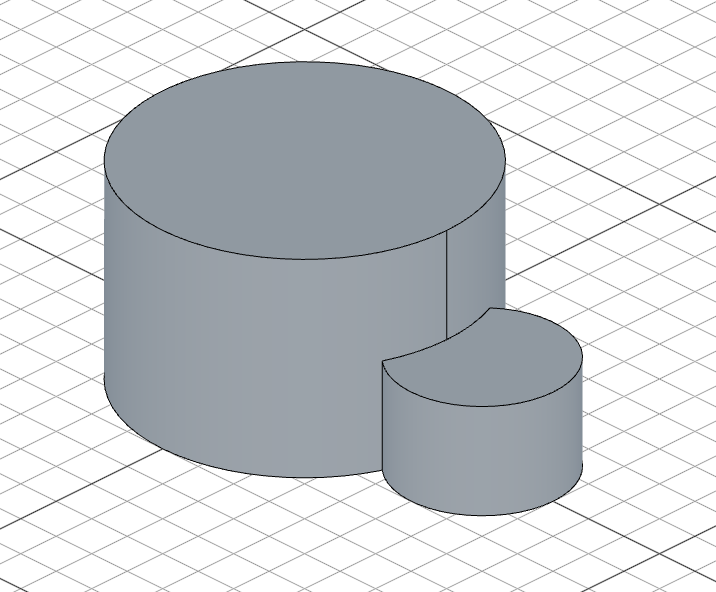
This gives you a predictable way to choose which input's coloring wins when merging solids explicitly: put the input whose coloring you want to keep first.