Cut
cut() removes material from existing solids. It is a shortcut for a subtractive extrude (extrude().remove()). Sketch a profile on a face, then cut into the solid.
import { sketch, extrude, cut } from 'fluidcad/core';
import { rect, circle } from 'fluidcad/core';

sketch("xy", () => {
    rect(100, 60).centered()
})

const box = extrude(30)

sketch(box.endFaces(), () => {
    circle(40)
})

cut(15)
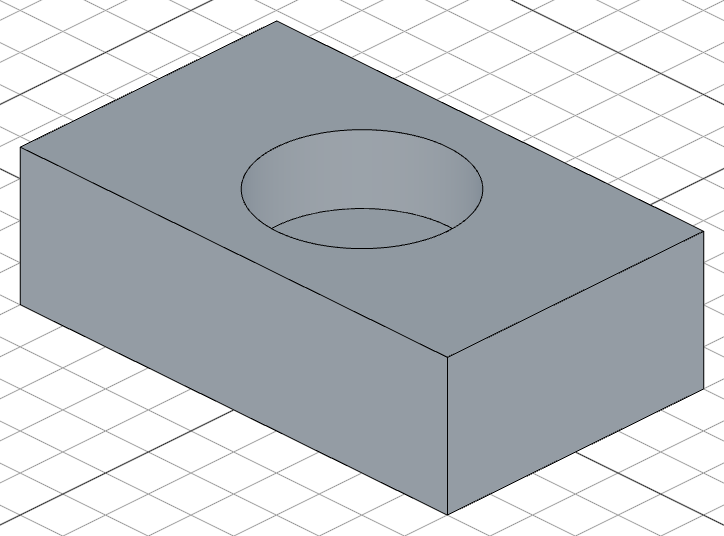
Through-all cut
import { sketch, extrude, cut } from 'fluidcad/core';
import { rect, circle } from 'fluidcad/core';

sketch("xy", () => {
    rect(100, 60).centered()
})

const box = extrude(30)

sketch(box.endFaces(), () => {
    circle(40)
})

cut()
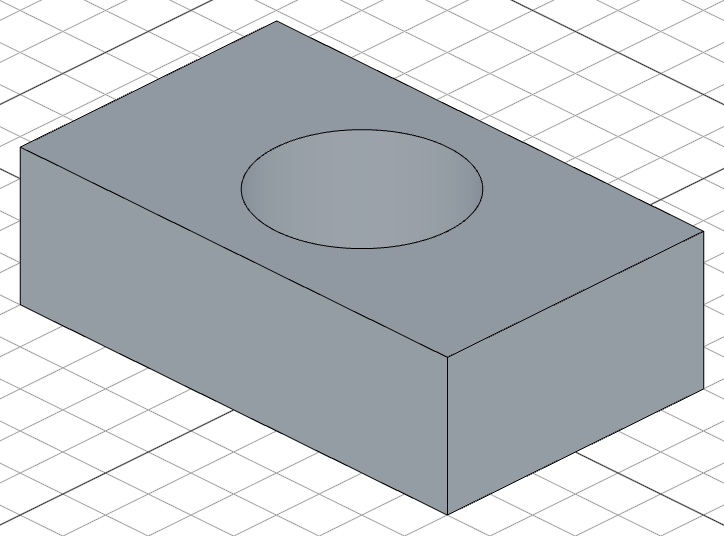
When called with no distance, cut() removes material through the entire solid.
Cut to face
Like extrude(), cut() accepts a face reference, 'first-face', or 'last-face' instead of a fixed distance:
cut(targetFace)        // cut until the target face
cut('first-face')      // cut to the nearest face
cut('last-face')       // cut to the farthest face
See Extrude — Extrude to face for detailed examples. The same rules apply: only planar and cylindrical faces are supported at the moment.
Draft angle
cut(20).draft(-5) // cut with a 5° inward draft
Region picking
When a sketch has multiple regions, use .pick() to select which region to cut:
sketch(box.endFaces(), () => {
    circle(60)
    circle(30)
})

cut(10).pick([20, 0])          // cut only the ring region near [20, 0]
Call .pick() with no arguments to enter interactive mode. Click on regions in the viewport to select them.
When you pick a region by coordinates (or by clicking in interactive mode), those coordinates are saved in your code. If the sketch dimensions change later, the pick point may fall outside the resized regions, breaking the model.
This makes .pick() great for fast prototyping or models with fixed dimensions. For parametric models where dimensions are likely to change, prefer structuring your sketches so each sketch contains only the regions you need — avoiding the need for .pick() altogether.
Accessing geometry
const c = cut(15)

c.startEdges()         // edges at the top of the cut
c.endEdges()           // edges at the bottom of the cut
c.internalEdges()      // edges created inside the solid
c.internalFaces()      // faces inside the cut pocket
Fusion scope
By default, cut removes material from all intersecting solids. Use .scope() to narrow it:
cut().remove().scope(box) // cut only from the box, leaving other solids untouched