Shell
shell() hollows out a solid, leaving walls of a specified thickness. You pick which face(s) to remove — these become the opening.
import { cylinder, select, shell } from 'fluidcad/core';
import { face } from 'fluidcad/filters';

cylinder(50, 100)

select(face().circle())

shell(-5)
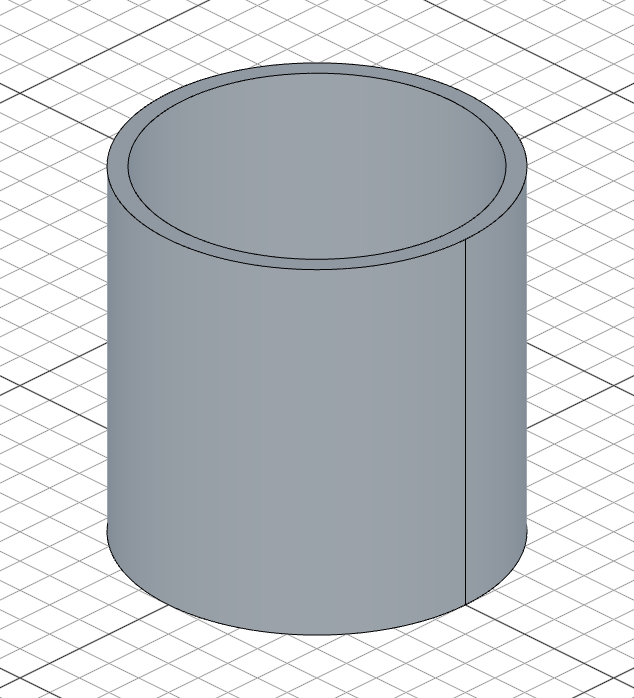
Thickness direction
The sign of the thickness controls which way the walls go:
- Negative (e.g.
-5): shell inward — the outer shape stays the same - Positive (e.g.
5): shell outward — the inner cavity stays the same
Passing faces directly
Instead of using select(), you can pass faces as additional arguments:
const e = extrude(30)
shell(-3, e.endFaces())        // remove top face, hollow the rest
You can remove multiple faces at once:
shell(-3, e.endFaces(), e.startFaces()) // open on top and bottom
Accessing geometry
const s = shell(-3, e.endFaces())

s.internalFaces()      // the inner wall faces
s.internalEdges()      // edges on the inner walls