Radius
radius sizes an arc — a rounded corner, a fillet in the profile, a cam lobe. It is the dimension that completes a tangent arc. On an ellipse it sizes one semi-axis at a time.
In the viewport
- Click one arc — or one ellipse.
- Click Dimension. A leader from the center to the rim appears with an R prefix; type the value and press Enter. On an ellipse the leader runs along the axis you clicked nearest to, with an RX or RY prefix.
Double-clicking an arc opens its radius directly.

Before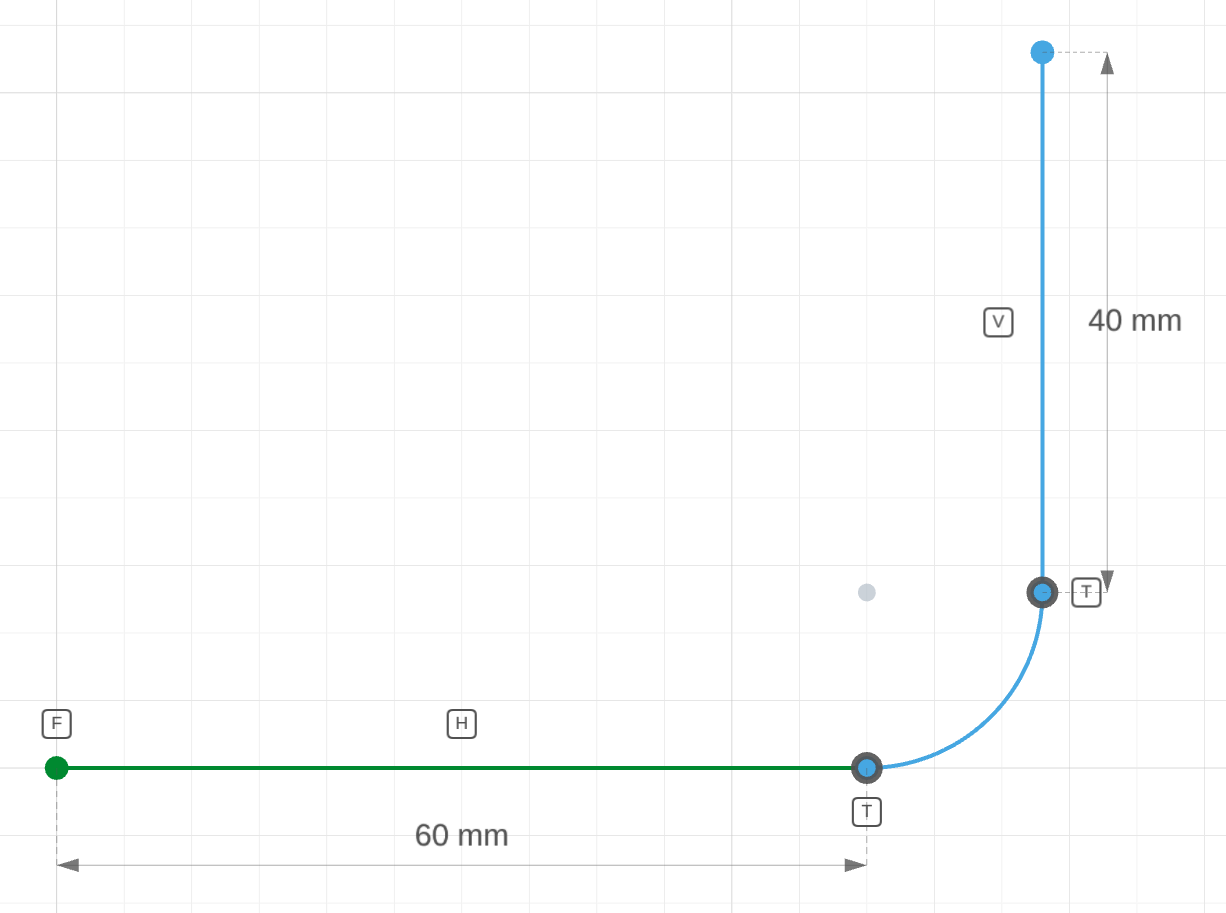
The corner arc is drawn with a radius of about 12.
After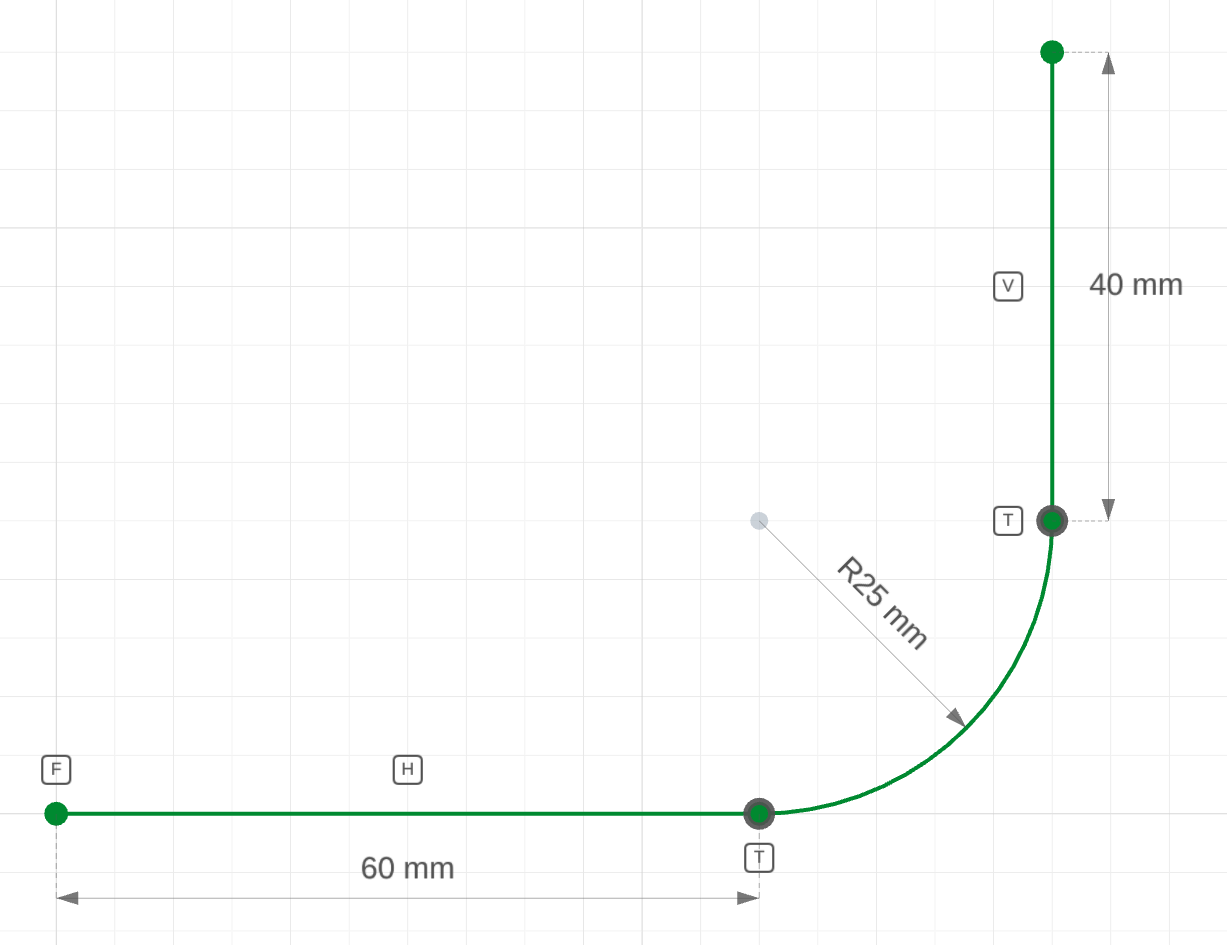
radius(corner, 25)The round grows to R25; the tangents keep it attached to both edges.
The code behind it
Two coincident statements attach the arc to its neighbours and two tangent statements remove the kinks; radius(corner, 25) is the one number left to choose (1 DOF).
corner.part.js
import { sketch, line, arc } from 'fluidcad/core';
import { radius, coincident, tangent, horizontal, vertical, fix, distance } from "fluidcad/constraints";

sketch("xy", () => {
    // The rounded corner of a plate. Arcs are dimensioned by radius —
    // the number a drawing carries for a corner round.
    const bottom = line([0, 0], [60, 0]);
    const corner = arc([60, 0], [72, 12], [60, 12]);
    const side = line([72, 12], [72, 60]);
    coincident(bottom.end(), corner.start());
    coincident(corner.end(), side.start());
    tangent(bottom, corner);
    tangent(corner, side);
    horizontal(bottom);
    vertical(side);
    fix(bottom.start());
    distance(bottom.start(), bottom.end(), 60);
    distance(side.start(), side.end(), 40);
    radius(corner, 25);
})
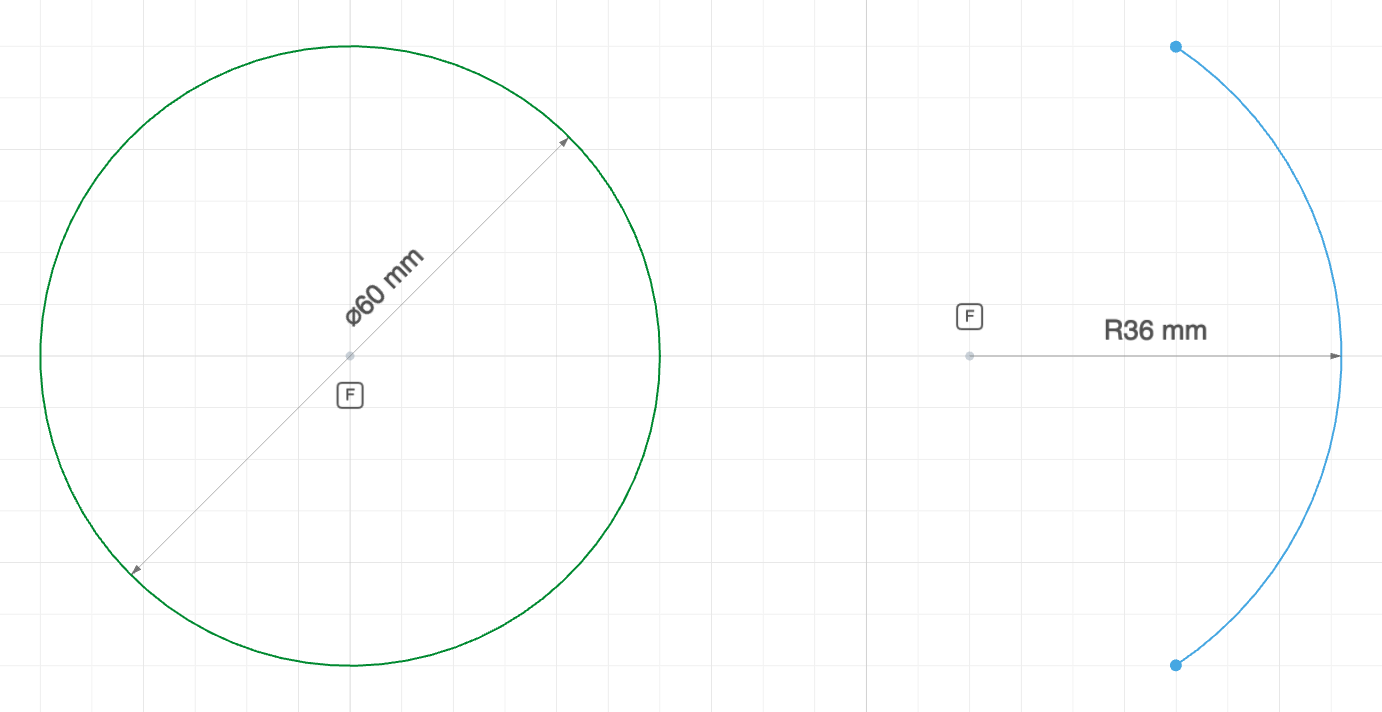
Circles are normally dimensioned by diameter, arcs by radius — matching how each is annotated on a drawing:
The code behind it
radial.part.js
import { sketch, circle, arc } from 'fluidcad/core';
import { fix, radius, diameter } from "fluidcad/constraints";

sketch("xy", () => {
    const bore = circle([0, 0], 60);
    const rim = arc([80, -30], [80, 30], [60, 0]);
    fix(bore.center());
    fix(rim.center());
    diameter(bore, 60);
    radius(rim, 36);
})
In code
radius(a, 25)                    // 1 DOF
radius(c, 30)                    // a circle can take a radius too
radius(e, 50, 'x')               // an ellipse's RX semi-radius
radius(e, 30, 'y')               // … and its RY semi-radius
The axis argument names which semi-radius of an ellipse the dimension sets; it is required there and not accepted on arcs or circles.
See also
- Tangent
- Sketch tools → Fillet — writes the arc, the tangents and the radius in one click