Fixed
fix pins a point to the plane. A profile whose shape and size are fully constrained can still slide and spin as a rigid body; anchoring one point removes those last degrees of freedom. It is the constraint that turns "the right shape somewhere" into "the right shape here".
In the viewport
- Click one point — a line end, an arc end, a circle or arc center, or a
point(). - Click Fix. The point gets an
Fbadge and stops moving; dragging the geometry now pivots around it.
The button takes exactly one point. It is disabled for a datum (the origin is already fixed).

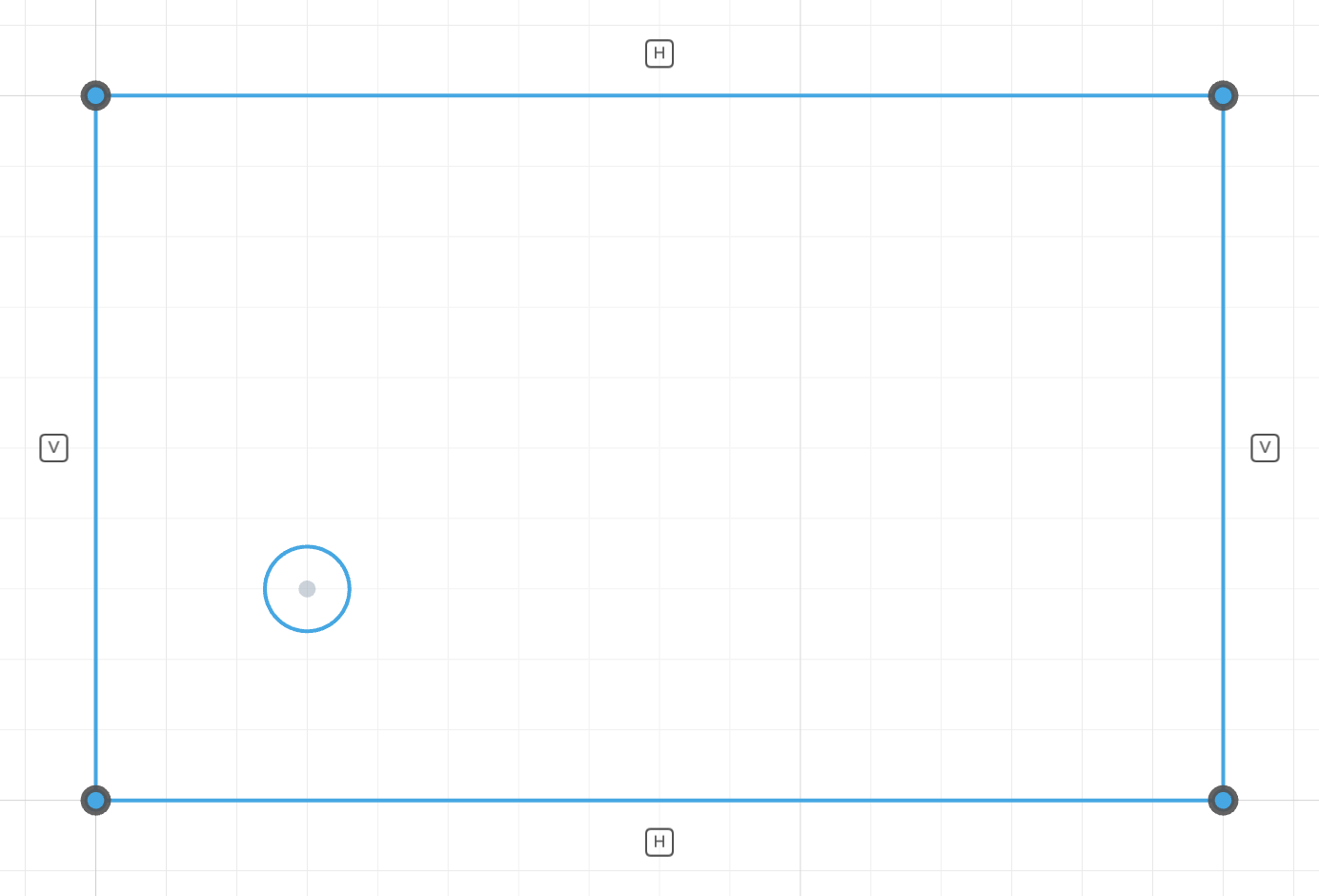
Shape and size are set, but the plate can still slide anywhere on the plane, so nothing is green yet.
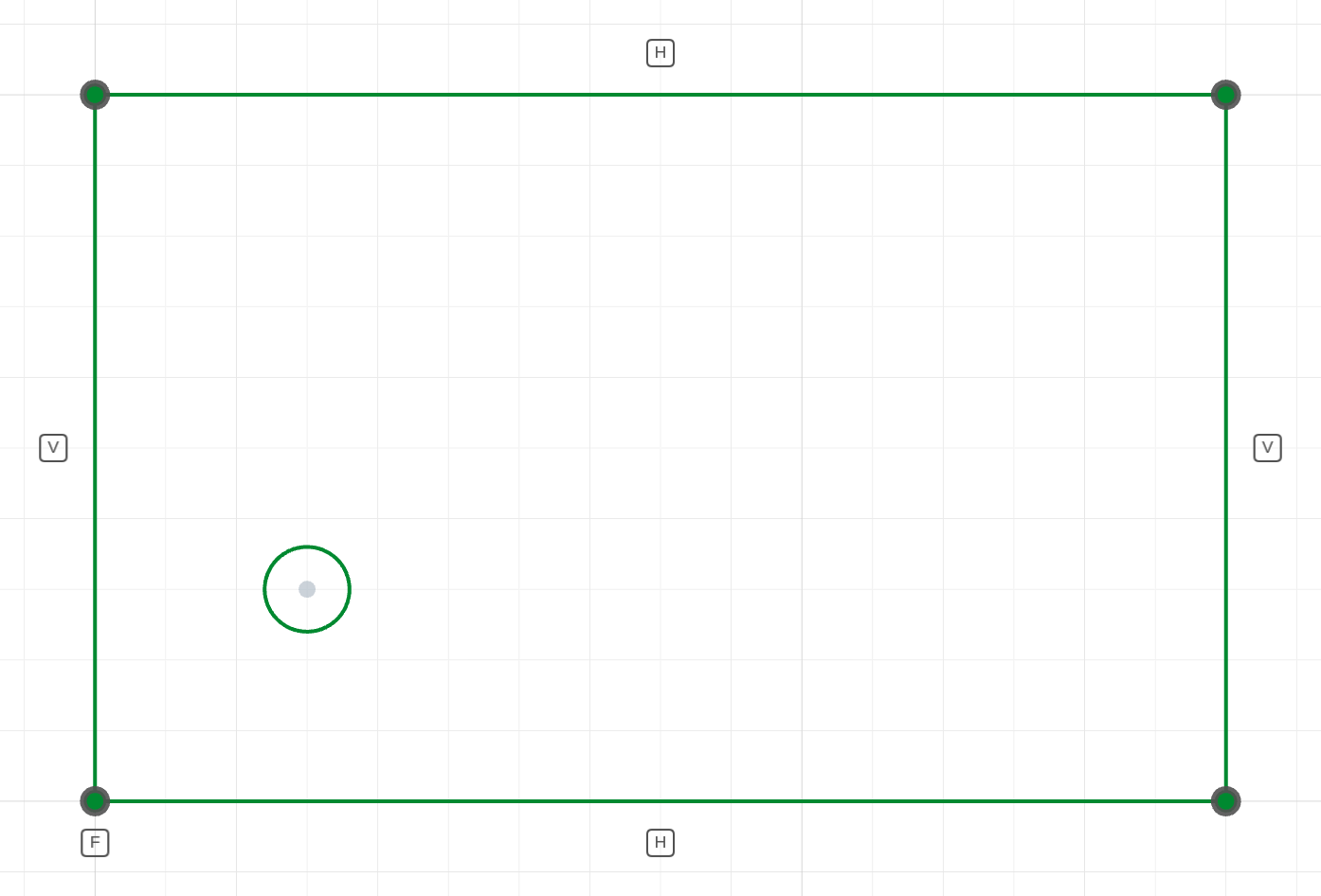
fix(bottom.start(), [0, 0])The corner pinned at the origin: zero degrees of freedom, and the sketch turns green.
The code behind it
The shape (coincident, horizontal, vertical) and the size (two distance dimensions) leave two degrees of freedom — the whole plate could still translate. fix on the bottom-left corner takes them away, and the mounting hole is then dimensioned from that corner.
import { sketch, line, circle } from 'fluidcad/core';
import { coincident, horizontal, vertical, distance, fix, diameter } from "fluidcad/constraints";

sketch("xy", () => {
    // A mounting plate: four sides drawn at rough guess positions.
    const bottom = line([2, -1], [80, 3]);
    const right = line([80, 3], [79, 50]);
    const top = line([79, 50], [-1, 48]);
    const left = line([-1, 48], [2, -1]);
    coincident(bottom.end(), right.start());   // close the corners
    coincident(right.end(), top.start());
    coincident(top.end(), left.start());
    coincident(left.end(), bottom.start());
    horizontal(bottom);                        // square it up
    horizontal(top);
    vertical(left);
    vertical(right);
    distance(bottom.start(), bottom.end(), 80);
    distance(left.start(), left.end(), 50);
    // Shape and size are set, but the plate could still slide around the
    // plane. Pinning its datum corner removes those last two DOF — every
    // other feature of the part is measured from here.
    fix(bottom.start(), [0, 0]);
    // A mounting hole placed from that corner.
    const hole = circle([15, 15], 6);
    diameter(hole, 6);
    distance(left, hole.center(), 15);
    distance(bottom, hole.center(), 15);
})
In code
fix(p)              // pin p where its guess put it
fix(p, [x, y])      // pin p at explicit coordinates
Without coordinates, the point's current guess is captured when the statement runs — the UI writes this form when you click Fix. With coordinates the anchor is explicit, and editing the numbers later moves the whole profile. Either way fix removes 2 DOF.
Prefer a sketch datum when the design intent is "at the origin" or "on this axis": coincident(p, origin()) says why the point is there, and re-centres automatically when the shape changes.
See also
- Coincident — pinning a point to another point or entity instead of to the plane
- Introduction → Reading the solver's verdict