Tangent
tangent makes two curves touch smoothly — no corner where they meet: a line and a circle, arc or ellipse, or any two of circles, arcs and ellipses. Together with coincident at the junction it produces the kink-free outlines of rounded profiles, belts and cams.
In the viewport
- Click a line and an arc / circle / ellipse, or two arcs / circles / ellipses.
- Click Tangent. The pair gets a
Tbadge at the touching point.
The 2D Fillet tool writes coincident + tangent pairs for you when it rounds a corner.
At a junction
A line running into an arc: coincident joins them, tangent removes the kink.

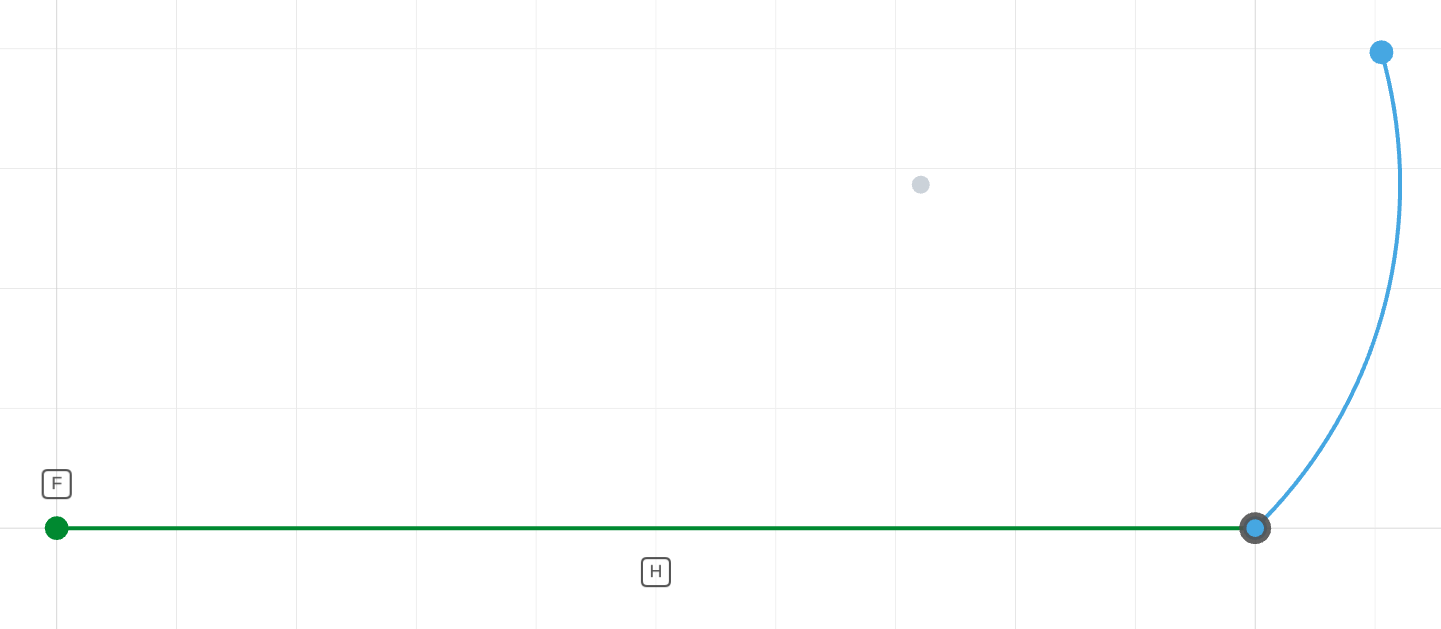
The arc is joined to the line by coincident, but meets it at a corner.
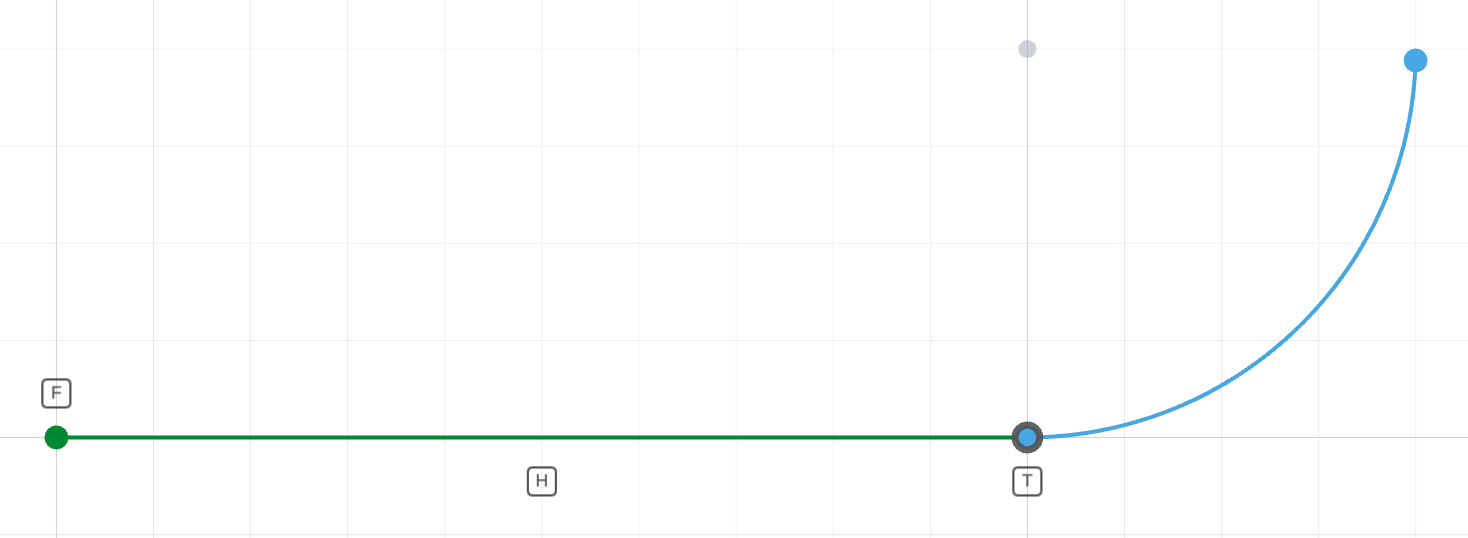
tangent(l, a)The arc leaves the line without a kink.
The code behind it
coincident(l.end(), a.start()) joins the profile; tangent(l, a) forces the arc to leave the line without a corner (1 DOF). The radius then sizes the arc.
import { sketch, line, arc } from 'fluidcad/core';
import { coincident, tangent, horizontal, fix, radius, distance } from "fluidcad/constraints";

sketch("xy", () => {
    const l = line([0, 0], [48, 2]);
    const a = arc([48, 2], [55.5, 20], [30, 20]);
    coincident(l.end(), a.start());
    tangent(l, a);
    horizontal(l);
    fix(l.start());
    distance(l.start(), l.end(), 50);
    radius(a, 20);
})
Touching somewhere along the line
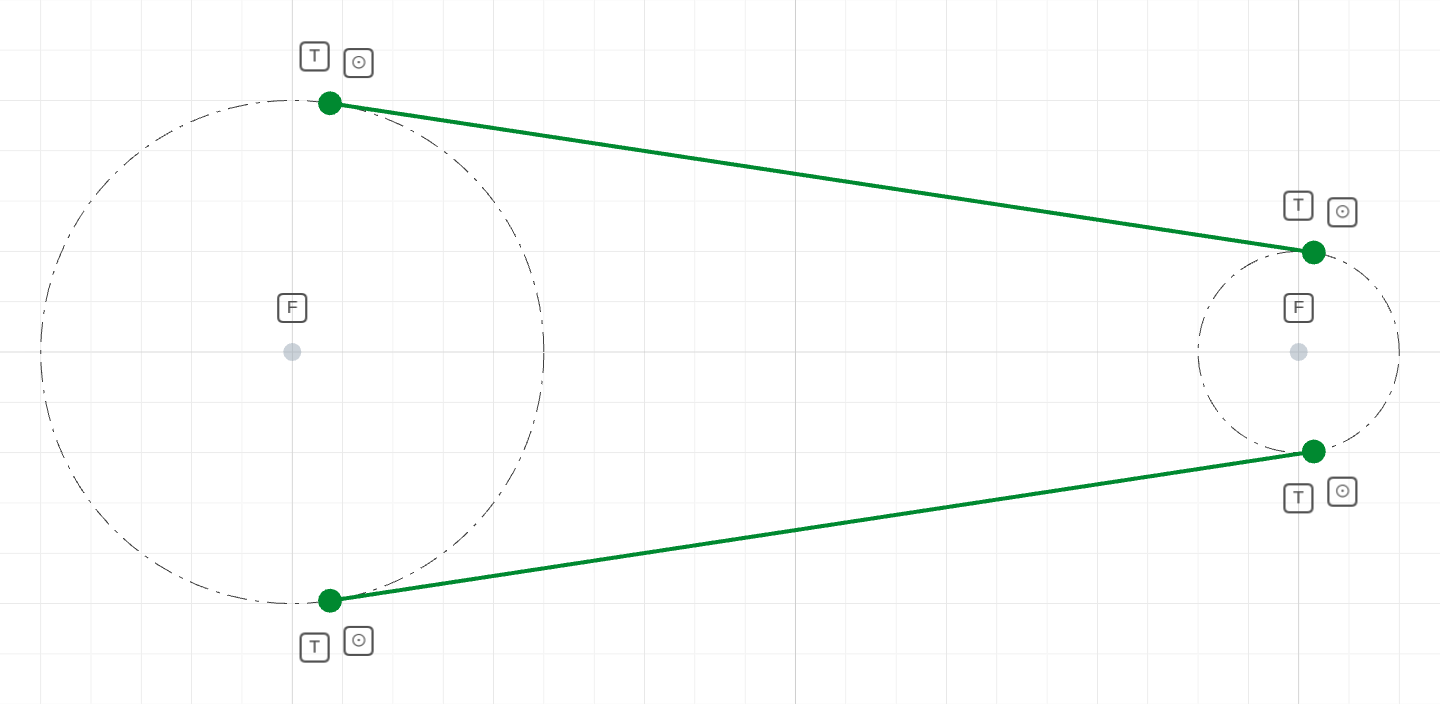
For a line that touches a circle somewhere rather than at a shared end, pair tangent(l, c) with coincident(l.end(), c) — the point-on-circle form — so the line's end sits exactly at the tangency point. A belt around two pulleys is four of those:
The code behind it
import { sketch, line, circle } from 'fluidcad/core';
import { tangent, coincident, fix, diameter } from "fluidcad/constraints";

sketch("xy", () => {
    const pulley1 = circle([0, 0], 100).guide();
    const pulley2 = circle([200, 0], 40).guide();
    // Guessing the lines above / below the pulleys picks the two
    // outer tangents — the belt run.
    const top = line([-7, 49], [197, 20]);
    const bottom = line([-7, -49], [197, -20]);
    fix(pulley1.center());
    fix(pulley2.center());
    diameter(pulley1, 100);
    diameter(pulley2, 40);
    tangent(top, pulley1);
    tangent(top, pulley2);
    coincident(top.start(), pulley1);
    coincident(top.end(), pulley2);
    tangent(bottom, pulley1);
    tangent(bottom, pulley2);
    coincident(bottom.start(), pulley1);
    coincident(bottom.end(), pulley2);
})
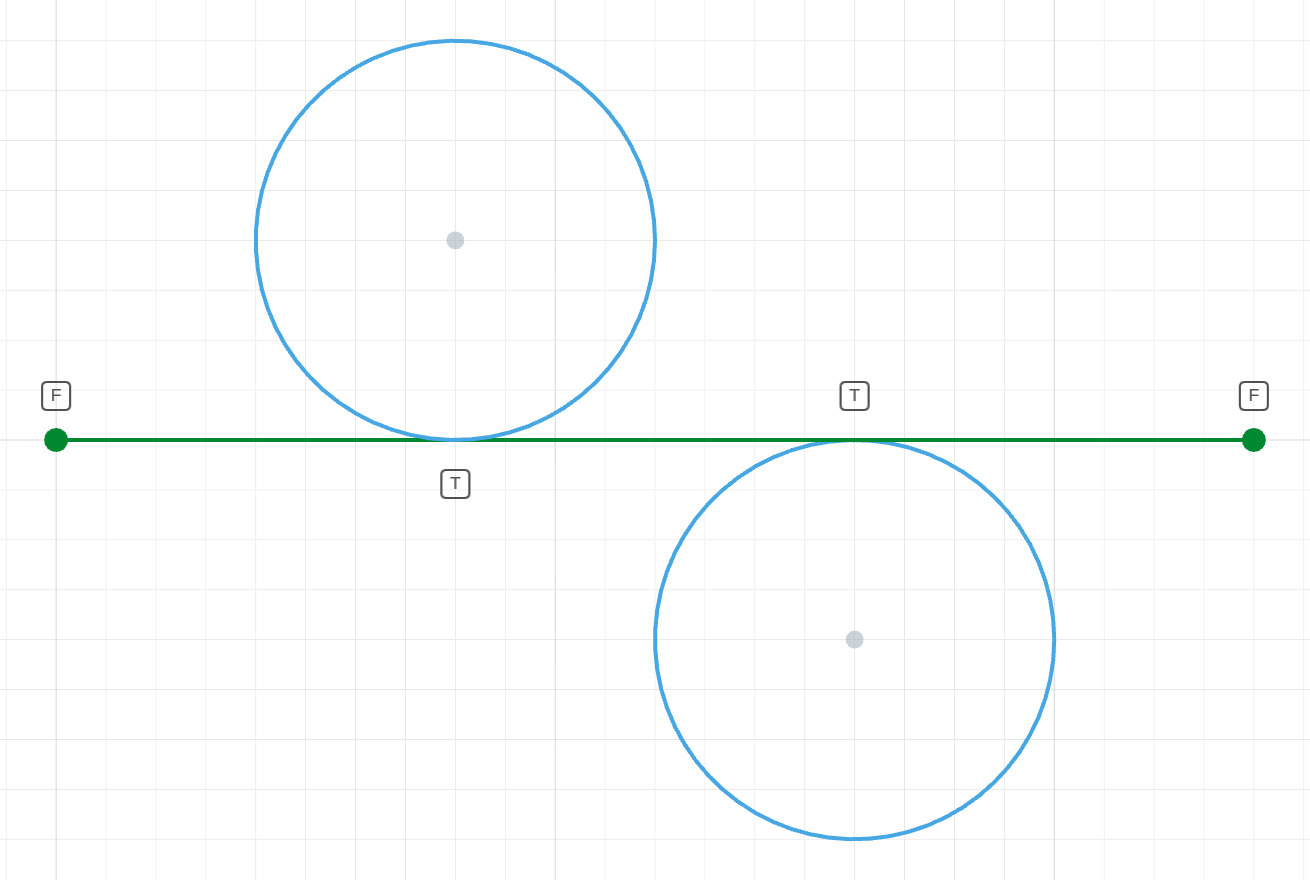
Which side? The guess decides
A circle tangent to a line can rest above or below it. Both circles here carry identical constraints; only the guessed centers differ, and the solver settles each on the side its guess was drawn.
The code behind it
import { sketch, line, circle } from 'fluidcad/core';
import { tangent, horizontal, fix, diameter } from "fluidcad/constraints";

sketch("xy", () => {
    const l = line([0, 0], [120, 0]);
    // Same constraints on both circles — only the guesses differ.
    const above = circle([40, 18], 40);
    const below = circle([80, -23], 40);
    fix(l.start());
    fix(l.end());
    tangent(l, above);
    tangent(l, below);
    diameter(above, 40);
    diameter(below, 40);
})
In code
tangent(l, a)                    // line ↔ arc or circle: 1 DOF
tangent(c1, c2)                  // circle/arc ↔ circle/arc: 1 DOF
tangent(l, e)                    // line ↔ ellipse: 1 DOF
tangent(e, c)                    // ellipse ↔ circle, arc or ellipse: 1 DOF
tangent(l, ref)                  // against a projected reference edge
Order does not matter. Two lines cannot be tangent — use collinear.
An ellipse touches a line wherever the line's direction matches its outline — pin the touch with coincident(l.end(), e) when the line should end there. Against a circle, an arc or another ellipse the contact point is found by the solver; whether the curves touch from outside or nest inside is decided by how they are drawn, like the circle–circle case. An arc that ends on the ellipse (coincident(a.start(), e)) is made tangent right at that end.
See also
- Radius — the dimension that usually completes a tangent arc
- Sketch tools → Fillet