Offset
Offset copies sketch geometry inward or outward by a distance: walls, clearances, margins and the inset pockets that follow an existing outline.
In the viewport
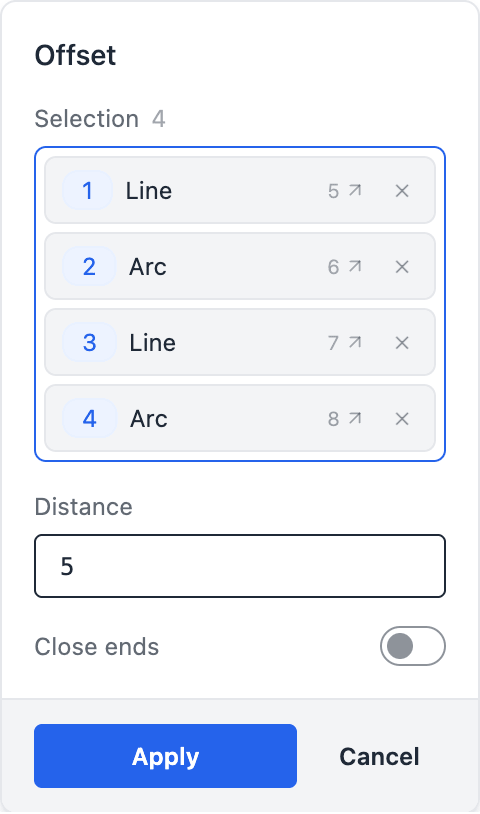
- Click Offset on the sketch toolbar. The Offset dialog opens docked on the right with a Selection slot, a Distance field (positive = outward, negative = inward) and a Close ends toggle.
- Click a sketch edge. It lands in Selection as a chip that names the primitive and its source line. A plain click replaces the pick; hold Ctrl (⌘ on a Mac) to add more edges, and click a chip's ✕ to drop one. A blue preview of the offset follows the picks and the value, and the statement about to be written shows under the dialog.
- Apply writes the
offset()statement after the geometry and constraints, at the end of the sketch body.
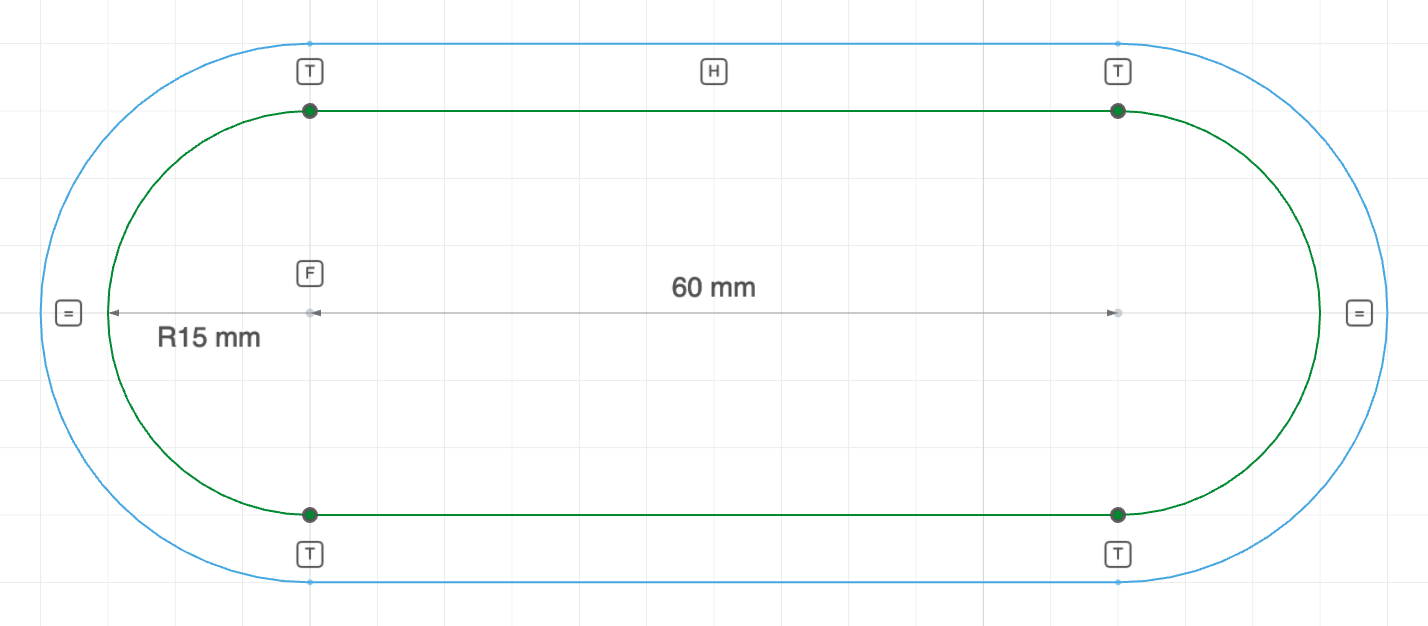
The code behind it
Offset is a derived operation: it consumes the solved geometry, so its statement always comes after the geometry and constraint statements. The tool lists the edges you picked, offset(5, top, right, bottom, left); with every edge picked, offset(5) on its own means the same thing.
import { sketch, line, arc, offset } from 'fluidcad/core';
import { coincident, tangent, horizontal, fix, distance, radius, equal } from "fluidcad/constraints";

sketch("xy", () => {
    // A pocket outline — a stadium — and the wall around it. The region
    // between the outline and its offset is the wall.
    const top = line([0, 15], [60, 15]);
    const right = arc([60, 15], [60, -15], [60, 0]).cw();
    const bottom = line([60, -15], [0, -15]);
    const left = arc([0, -15], [0, 15], [0, 0]).cw();
    coincident(top.end(), right.start());
    coincident(right.end(), bottom.start());
    coincident(bottom.end(), left.start());
    coincident(left.end(), top.start());
    tangent(top, right);
    tangent(right, bottom);
    tangent(bottom, left);
    tangent(left, top);
    horizontal(top);
    fix(left.center(), [0, 0]);
    distance(left.center(), right.center(), 60);
    radius(left, 15);
    equal(left, right);
    // Offset every non-guide edge of the sketch outward by 5 — the wall
    // thickness. Written after the constraints: offset is a derived op and
    // consumes solved geometry.
    offset(5)
})
By hand
offset(distance)                // every non-guide edge in the sketch
offset(distance, g1, g2, ...)   // only the listed geometry
A target-less offset() skips guide geometry; to offset a guide, pass it explicitly.
Keeping only the offset
To use only the offset curve in the profile, make the sources guides with .guide() — guides are left out of the face-building step, so the offset alone survives. Pass the guides to offset() explicitly:
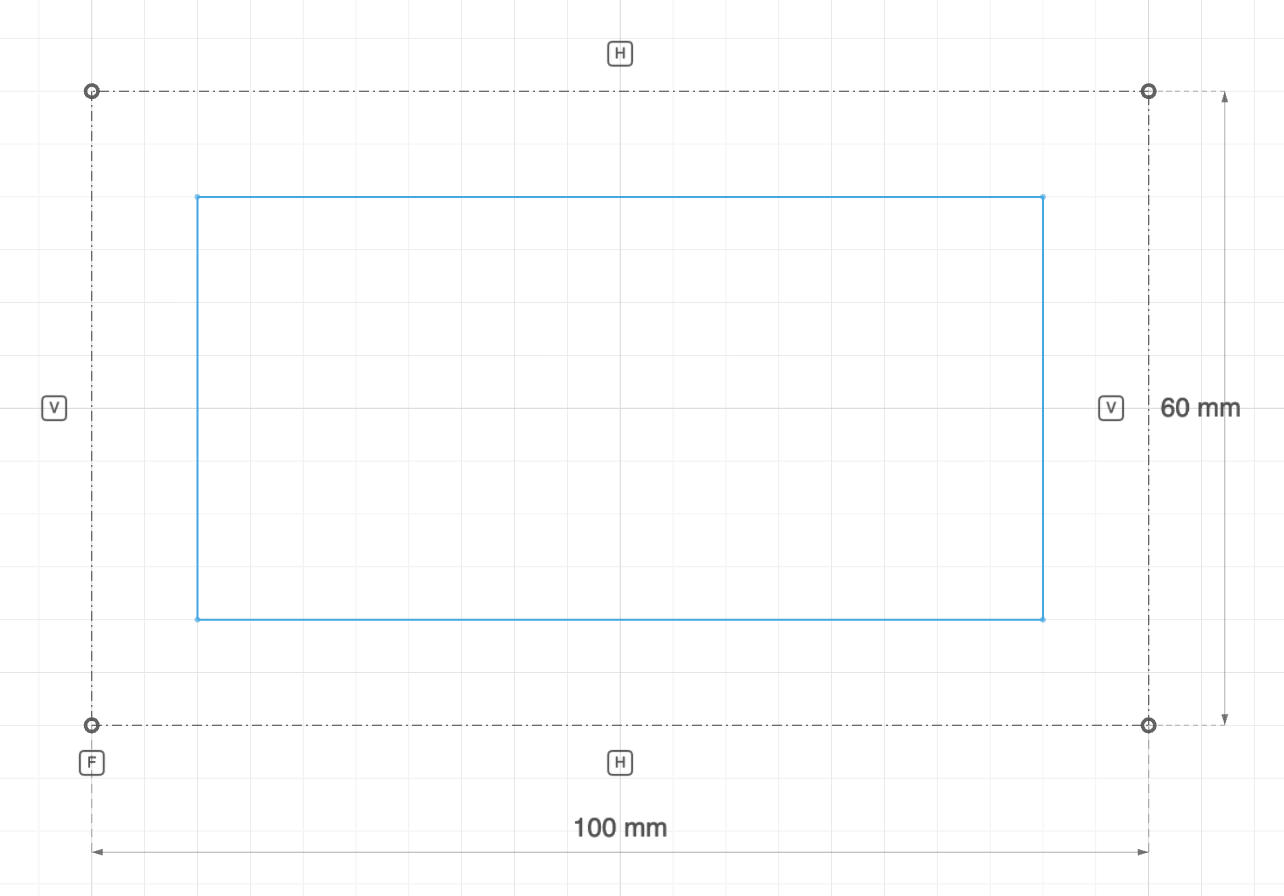
The code behind it
import { sketch, line, offset } from 'fluidcad/core';
import { coincident, distance, fix, horizontal, vertical } from "fluidcad/constraints";

sketch("xy", () => {
    // A pocket floor inset 10 from the plate's outline. The outline is
    // drawn as guides — only the offset contributes to the profile.
    const sg1 = line([-50, -30], [50, -30]).guide();
    const sg2 = line([50, -30], [50, 30]).guide();
    const sg3 = line([50, 30], [-50, 30]).guide();
    const sg4 = line([-50, 30], [-50, -30]).guide();
    coincident(sg1.end(), sg2.start());
    coincident(sg2.end(), sg3.start());
    coincident(sg3.end(), sg4.start());
    coincident(sg4.end(), sg1.start());
    horizontal(sg1);
    vertical(sg2);
    horizontal(sg3);
    vertical(sg4);
    fix(sg1.start(), [-50, -30]);
    distance(sg1.start(), sg1.end(), 100);
    distance(sg2.start(), sg2.end(), 60);
    // Explicit targets — a target-less offset() skips guides.
    offset(-10, sg1, sg2, sg3, sg4)
})
Closing an open offset
Close ends (.close() in code) connects an open offset back to its original with two straight cap edges, producing a closed loop that can be extruded:
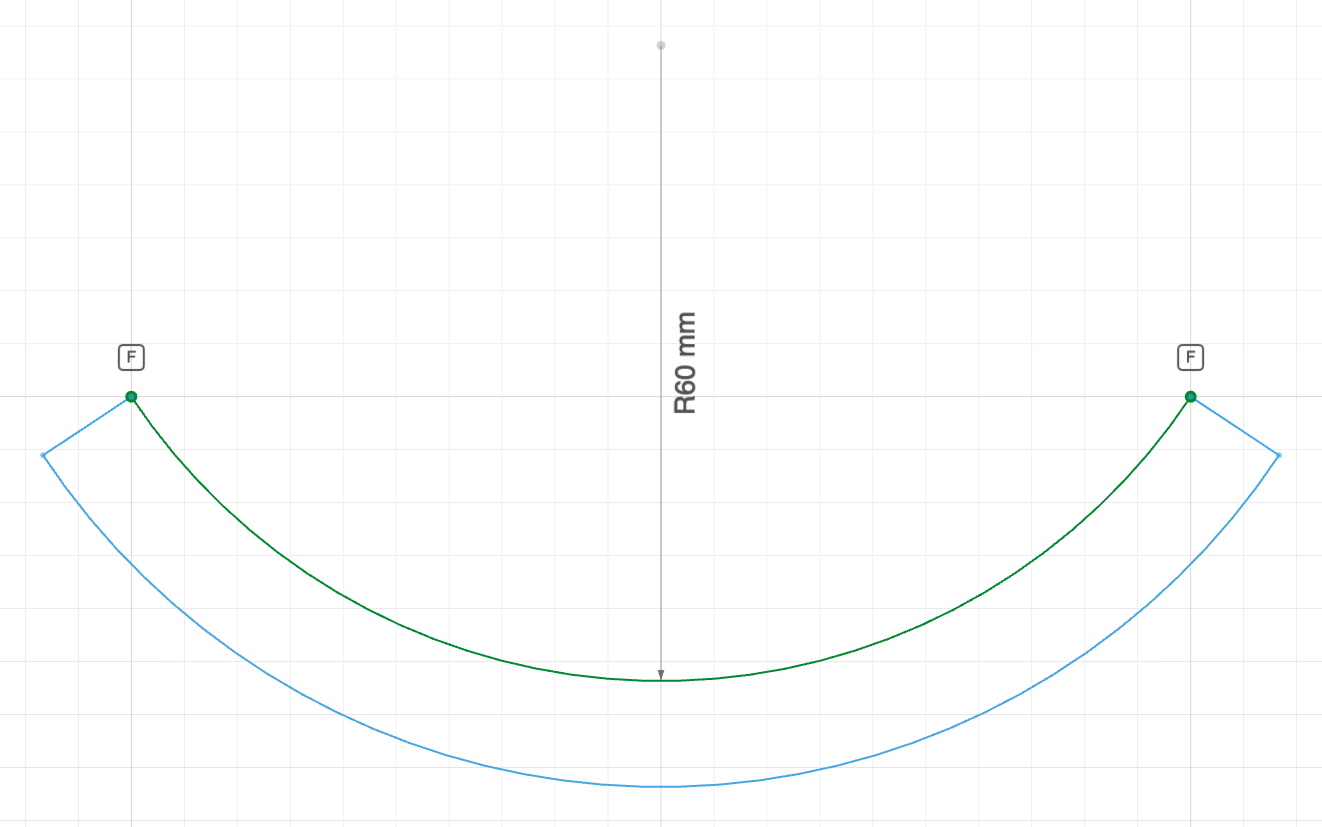
The code behind it
import { sketch, arc } from "fluidcad/core";
import { offset } from "fluidcad/core";
import { fix, radius } from "fluidcad/constraints";

sketch("xy", () => {
    // An arched handle: one open arc …
    const a = arc([0, 0], [100, 0], [50, 10]);
    fix(a.start(), [0, 0]);
    fix(a.end(), [100, 0]);
    radius(a, 60);
    // … offset by 10 and capped back onto the original with two straight
    // edges, so the result is a closed band that can be extruded.
    offset(10).close()
})
On a profile that is already closed, .close() does nothing.
Naming offset edges from outside the sketch
An offset has no named entities, so its edges are addressed by index: o.edge(i) is one edge of the result, and o.edge(i).start(), .end() and — on an arc — .center() are its points. Return the offset from the sketch callback and use them wherever a point from outside the sketch is accepted, such as a loft connection; the Loft dialog writes them when you click an offset vertex. They are not constraint targets — constrain the source geometry instead.
const base = sketch("xy", () => {
    const sides = square(40)               // your own constrained square, sides as guides
    return { o: offset(-5, sides.b, sides.r, sides.t, sides.l) }
})
loft(base, top).connect(base.geometries.o.edge(0).start(), top.geometries.r.start())
The indices walk the result: index 0 is the offset of the first source edge in statement order (for an open offset, the offset of the chain's first edge), the walk continues in that edge's own direction, and o.edge(i).end() is o.edge(i + 1).start(). The arcs an outward offset rounds corners with are ordinary steps of the walk; separate sources offset to separate wires numbered one after the other; Close ends appends the cap at the walk's end, then the cap at its start. Because the indices are positional, an edit that changes which corners are rounded — flipping the sign, for one — shifts them, and a reference then points at a different vertex, as any index-based reference does.
Combining with other shapes
Offsets and fresh geometry share one profile:
sketch("xy", () => {
    const outer = circle([0, 0], 60)
    offset(5, outer)           // a clearance ring around the circle
    circle([0, 0], 14)         // a separate bore in the same profile
})
Outside a sketch, the toolbar's Offset pick tool offsets the outline of picked faces instead — see Selection and filters.