Rotate
rotate() turns solids around an axis, in place or as copies.
In the viewport
- Click Rotate on the toolbar. The Rotate dialog docks on the right.
- Pick the tab: Move turns the solids in place; Copy keeps the originals and adds turned copies.
- Click the solids to rotate — any face or edge click in the viewport selects the whole solid, or click their timeline rows. They fill the Solids slot as numbered chips.
- Fill the Axis slot: click one of the world axes shown in the viewport (X red, Y green, Z blue), an
axis()feature, or an edge. A circular edge gives its centre line. - Enter the Angle in degrees and click Apply.
The code behind it
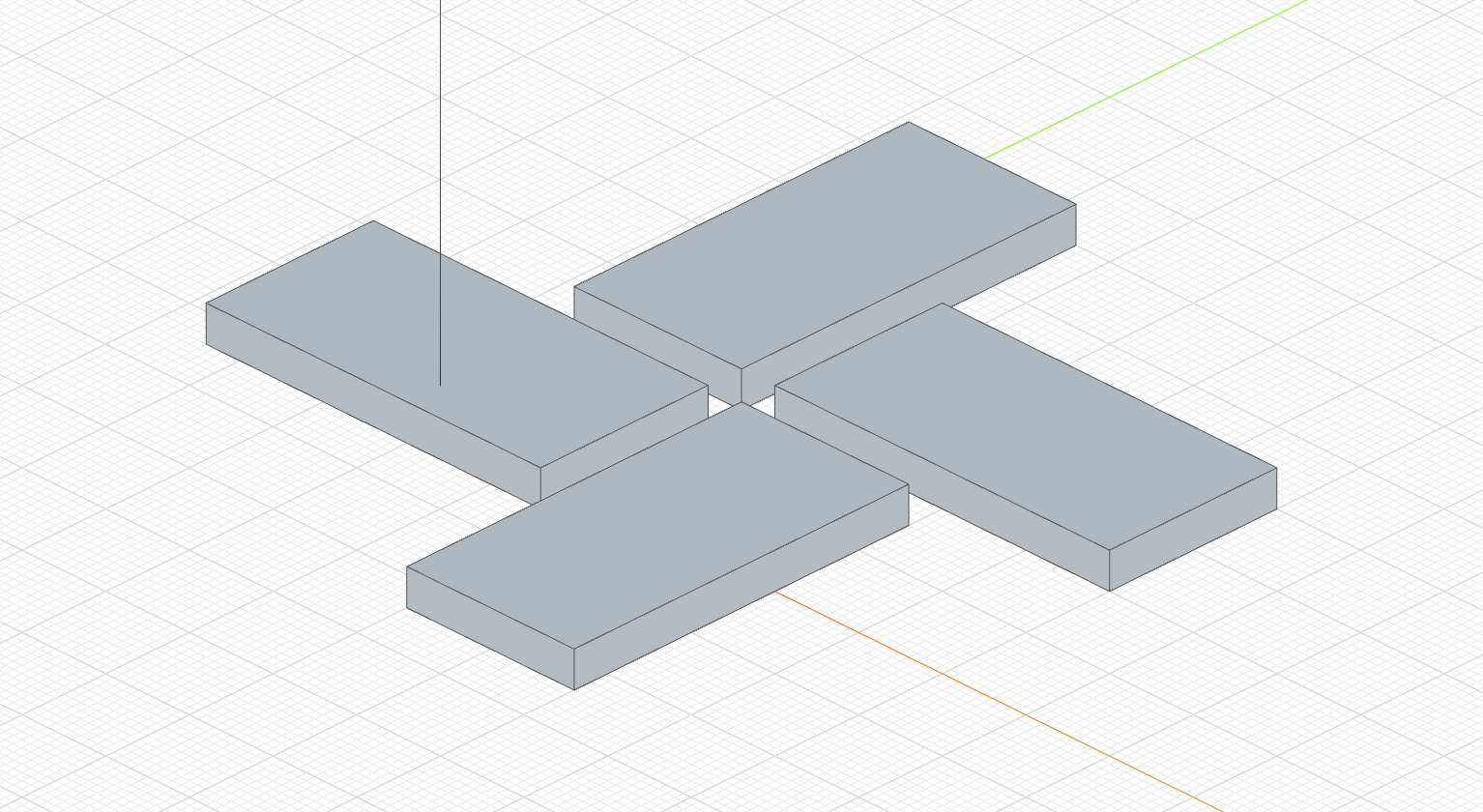
Here the axis is an axis() feature offset from the origin — written in code, since the dialog's Axis slot takes world axes and picked edges. Two rotate-copies at 90° and 180° leave three plates.
import { axis, extrude, rotate, sketch, line } from 'fluidcad/core';
import { coincident, distance, fix, horizontal, vertical } from "fluidcad/constraints";

sketch("xy", () => {
    const sg1 = line([100, 100], [300, 100]);
    const sg2 = line([300, 100], [300, 200]);
    const sg3 = line([300, 200], [100, 200]);
    const sg4 = line([100, 200], [100, 100]);
    coincident(sg1.end(), sg2.start());
    coincident(sg2.end(), sg3.start());
    coincident(sg3.end(), sg4.start());
    coincident(sg4.end(), sg1.start());
    horizontal(sg1);
    vertical(sg2);
    horizontal(sg3);
    vertical(sg4);
    fix(sg1.start(), [100, 100]);
    distance(sg1.start(), sg1.end(), 200);
    distance(sg2.start(), sg2.end(), 100);
  })

extrude(20)

// A vertical axis through (90, 90), just off the plate's corner.
const a = axis("z", { offsetX: 90, offsetY: 90 })

// Two rotate-copies of the last solid (the plate): `true` keeps the original.
rotate(a, 90, true)
rotate(a, 180, true)
Copies
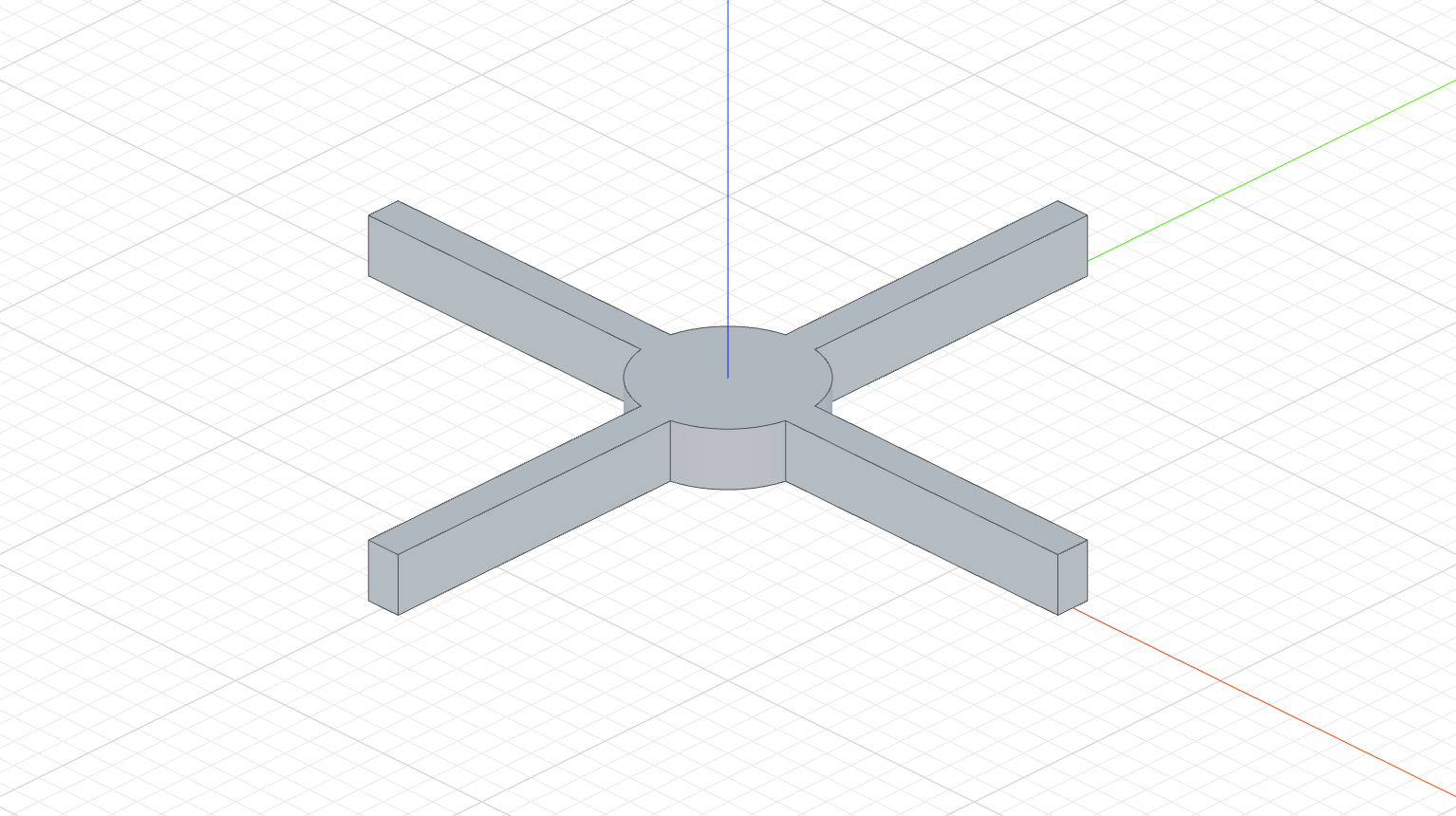
On the Copy tab the original stays and a turned duplicate is added — the copy flag is the true before the targets:
The code behind it
The spoke is kept separate with .new() so each copy is a clone of the spoke alone, not of a spoke already fused into the hub. A final fuse() with no arguments merges every solid in the file into one wheel.
import { sketch, circle, extrude, rotate, fuse, line } from 'fluidcad/core';
import { coincident, distance, fix, horizontal, vertical } from 'fluidcad/constraints';

// A wheel hub with four spokes: one spoke is modelled, the others are
// rotate-copies of it.
sketch("xy", () => { circle([0, 0], 30); });
const hub = extrude(10);

// One spoke, from the hub outwards along X, kept separate so it can be copied.
sketch("xy", () => {
    const b = line([12, -3], [70, -3]);
    const r = line([70, -3], [70, 3]);
    const t = line([70, 3], [12, 3]);
    const l = line([12, 3], [12, -3]);
    coincident(b.end(), r.start());
    coincident(r.end(), t.start());
    coincident(t.end(), l.start());
    coincident(l.end(), b.start());
    horizontal(b);
    vertical(r);
    horizontal(t);
    vertical(l);
    fix(b.start(), [12, -3]);
    distance(b.start(), b.end(), 58);
    distance(r.start(), r.end(), 6);
});
const spoke = extrude(10).new();

// The Rotate dialog's Copy tab: the spoke stays and a turned copy is added
// each time. `true` is the copy flag; without it the spoke itself would move.
rotate("z", 90, true, spoke);
rotate("z", 180, true, spoke);
rotate("z", 270, true, spoke);

// Merge hub and spokes into one wheel.
fuse();
For more than a couple of copies use a circular copy or repeat pattern.
Code forms
import { rotate } from 'fluidcad/core';

rotate("z", 45)                    // turn the last object 45° around world Z
rotate("z", 45, body)              // turn a specific solid
rotate("z", 45, true, body)        // copy instead of move
rotate(a, 90, p1, p2)              // around an axis() feature, several targets
The axis is anything axis-like: "x" / "y" / "z", an axis() feature (offset or tilted from a world axis, read from an edge, or midway between two — see Axes), or an edge selection. Angles are in degrees.
Inside a sketch
rotate() works on solids only. Sketch geometry is oriented with constraints instead — angle(), horizontal() and vertical() pin a line's direction, and the solver turns the rest of the profile with it. Calling rotate() inside sketch(...) is an error.